 Product Description
  Price Search
 Computer Vision Platform
A unified no-code machine learning platform for the training of image classification & object detection models.

I want to:
Image Classification
Models for automatic recognition, categorization & tagging of images or objects in them.
CATEGORIZATION & TAGGING
Train Your Own Visual AI

Define your own categories & tags, link them to training images, and train custom image recognition models.
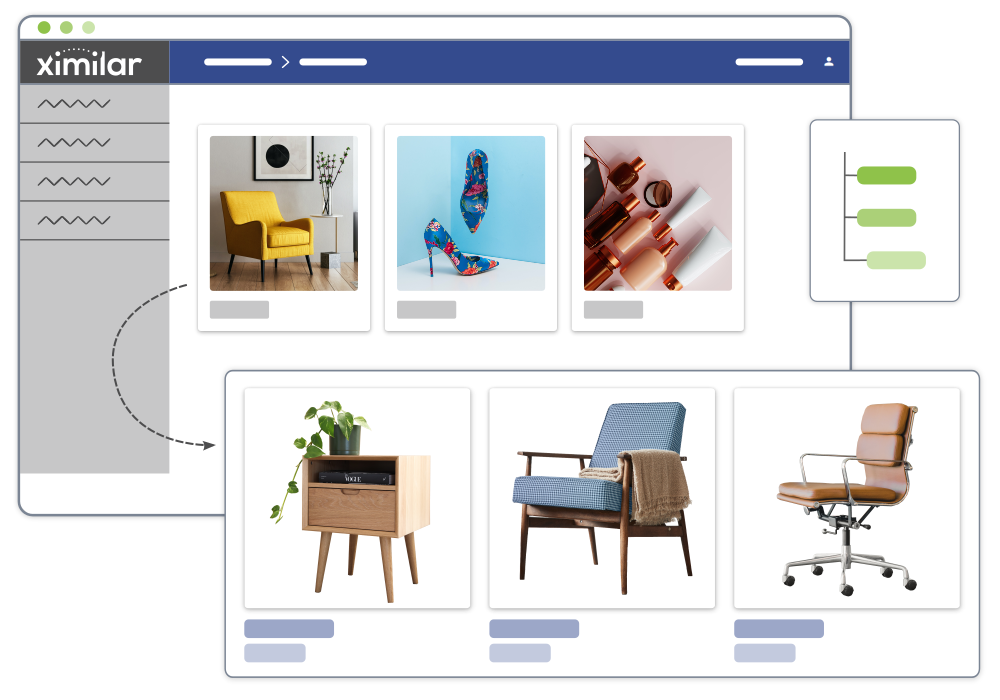
Automate all image classification with computer vision: tagging, sorting, filtering, and even quality control or recommendations of the items or images from your collection.
DELEGATE ROUTINE TASKS TO AI
No-Code Machine Learning
Working with Ximilar computer vision platform doesn’t require coding skills. You easily train & chain your models with a few clicks.
AI running on Ximilar cloud processes large volumes of data 24/7. You can connect via API and integrate both ready-to-use and custom models into your system.
Enrich
your data with detailed information
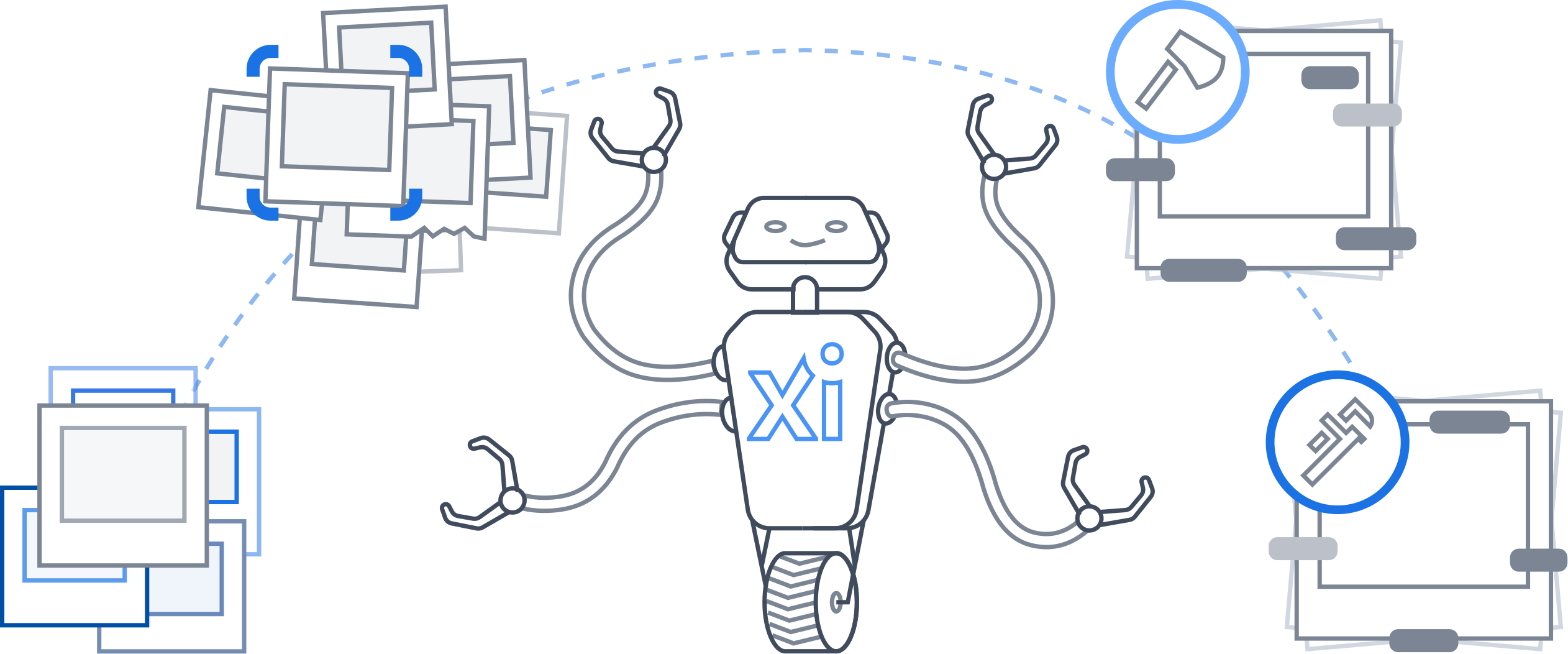
Delegate
routine tasks to consistent AI

Save
time and resources with automation
WHAT IS CATEGORIZATION?
Assign a category to each image

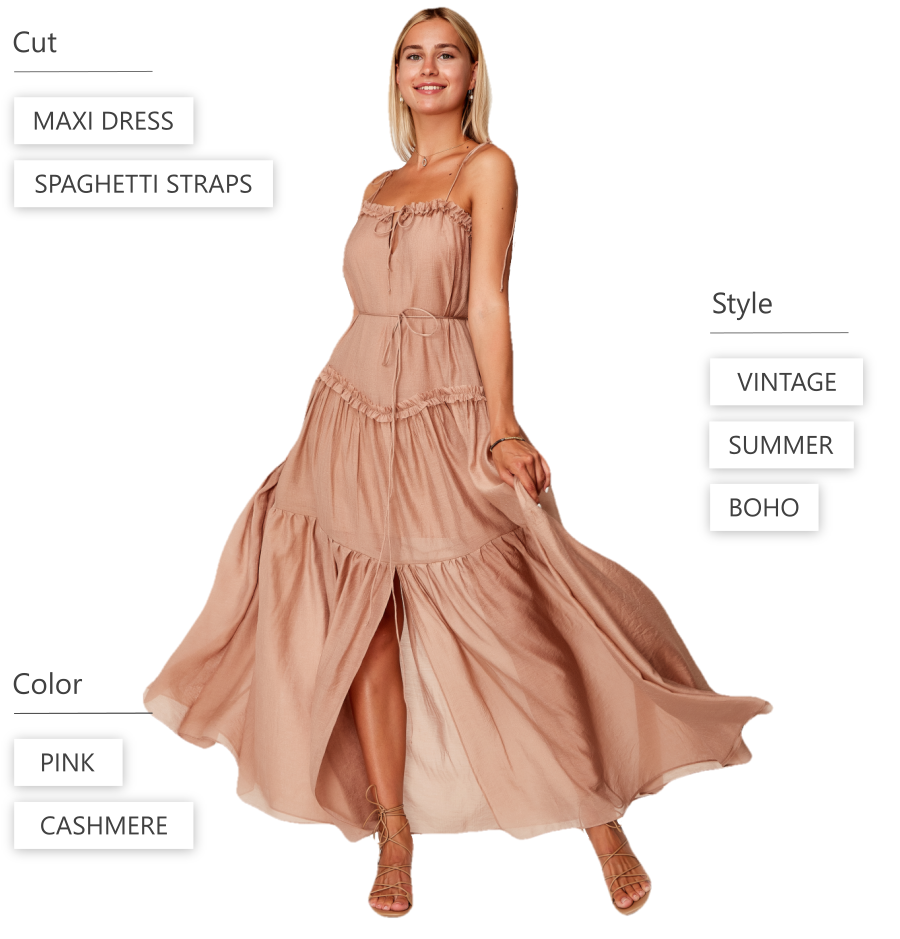
Image categorization assigns each image a category, such as a maxi dress or midi dress. The categories are visually distinctive, and each image belongs only to one category.
WHAT IS TAGGING?
Tag every image with many tags
Define a set of tags for the features & objects that should be recognized in your images, and train a custom tagging model able to provide tags for each image in your collection.
Skip the setup with ready-to-use solutions
Check out our solutions for fashion, home decor, collectibles, and more.
They can be used right away or combined with custom models.
Image Regression
A specialized recognition system for evaluation or grading.
IMAGE REGRESSION
Automatic Prediction of Size, Age, or Rating From Images

The image regression predicts numerical values within a defined range from your images. It is used in quality control, and to estimate values such as age, size, worn-out level, or rating.
You can train regression models under Image Classification in our App (create a new task: regression). We can also build a value prediction system tailored to your use case.
Object Detection
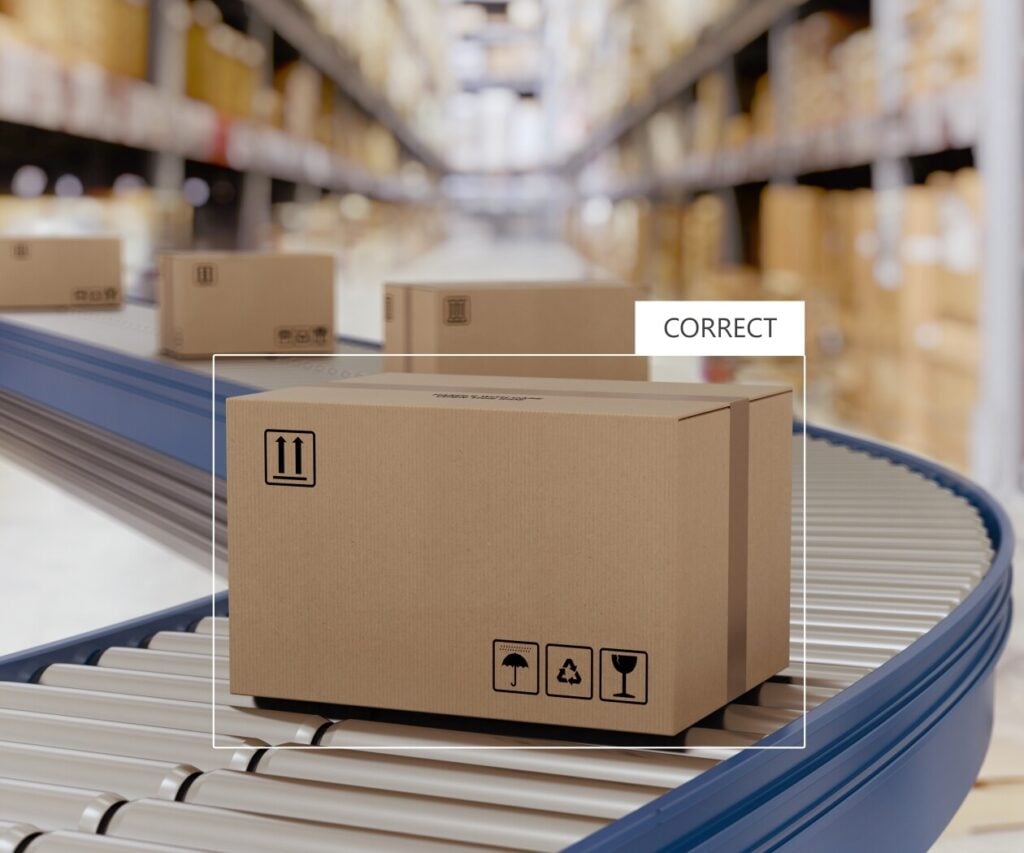
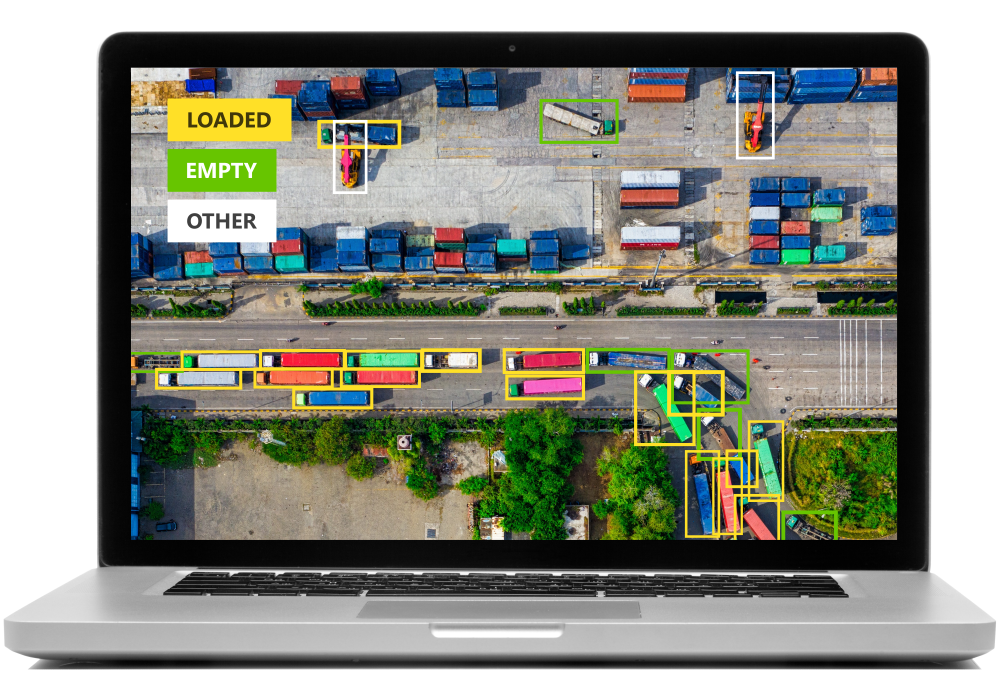
Object detection automatically finds different types of objects & marks them with bounding boxes.
OBJECT DETECTION
Train AI to Spot Any Object
Train custom object detection models (CenterNet) to identify any object, such as people, cars, particles in the water, imperfections of materials, or objects of the same shape, size, or colour.
Object detection can work both independently or combined with other tasks, such as automatic tagging.
Q & A
How do I prepare the training data?
The training of object detection models requires bigger datasets and more training time. It begins with data annotation – the manual marking of objects with bounding boxes. You can use the same dataset as for Categorization & Tagging model training.
Q & A
How do you work with my data?
During the training of custom image recognition models, your annotated images are divided into two groups. Apart from the training set, there is a smaller validation set, which is used to evaluate the accuracy of the model before the deployment. You can also upload another independent test set.
Data Annotation Tools
App
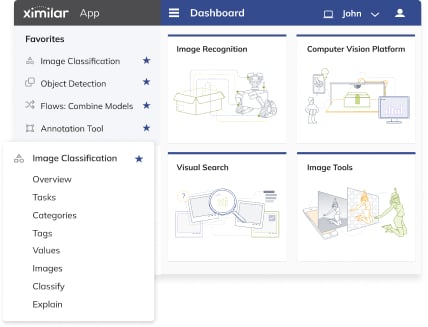
You can annotate your training images directly in Ximilar App, where you train the models.
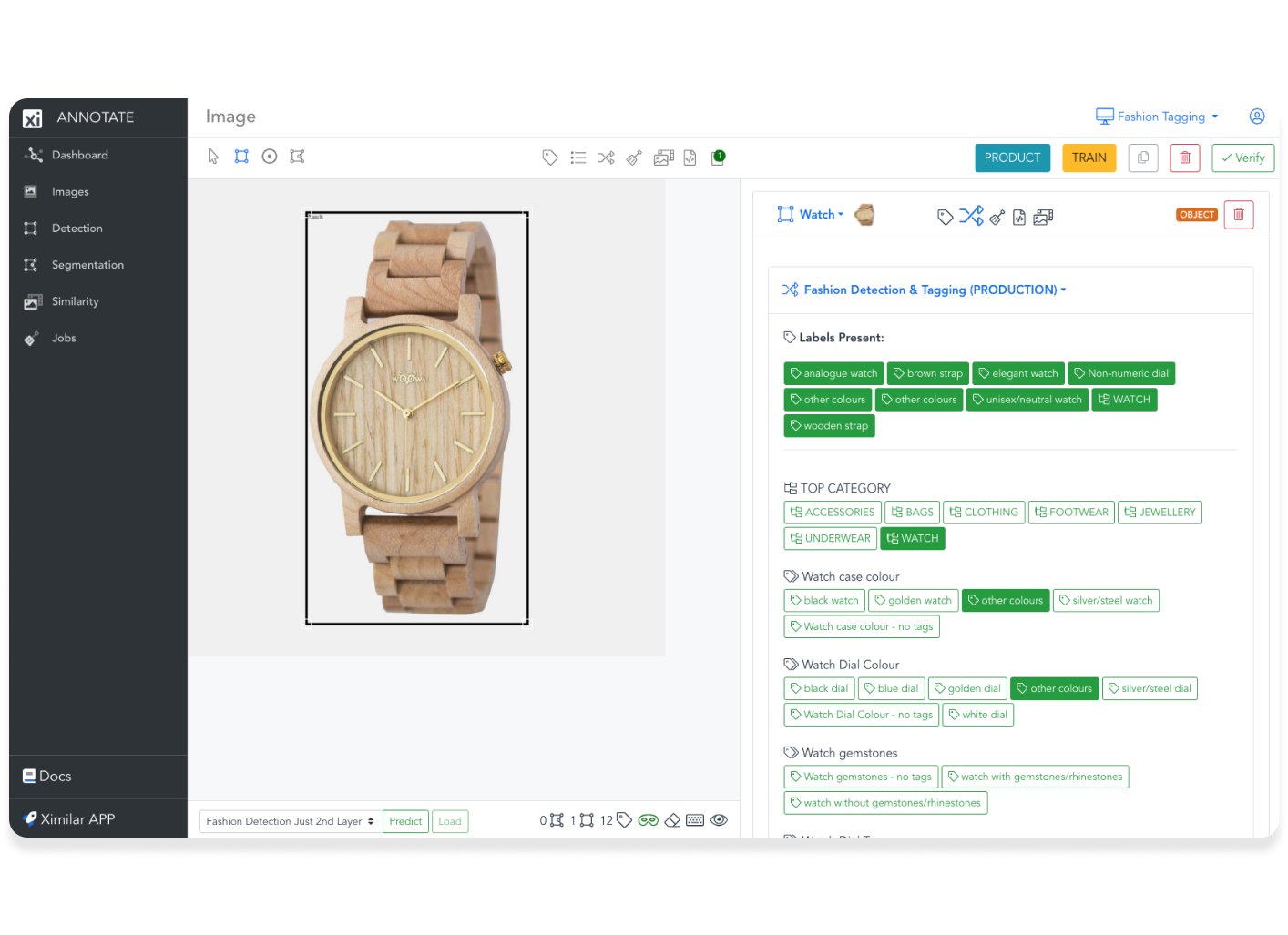
Annotate
Level up your data annotation work with a professional tool for quick annotation in a team.
Flows: Combine Your Models
The key to the management of complex image databases is the interaction of more different models.
MODELS WORKING TOGETHER
Divide Complex Problems Into Simple Tasks

With Flows, the machine learning models can be combined and chained in a sequence.
Each image travels through the sequence of your models until it is properly processed and tagged. Based on Flows, you also get suggestions when annotating the images.
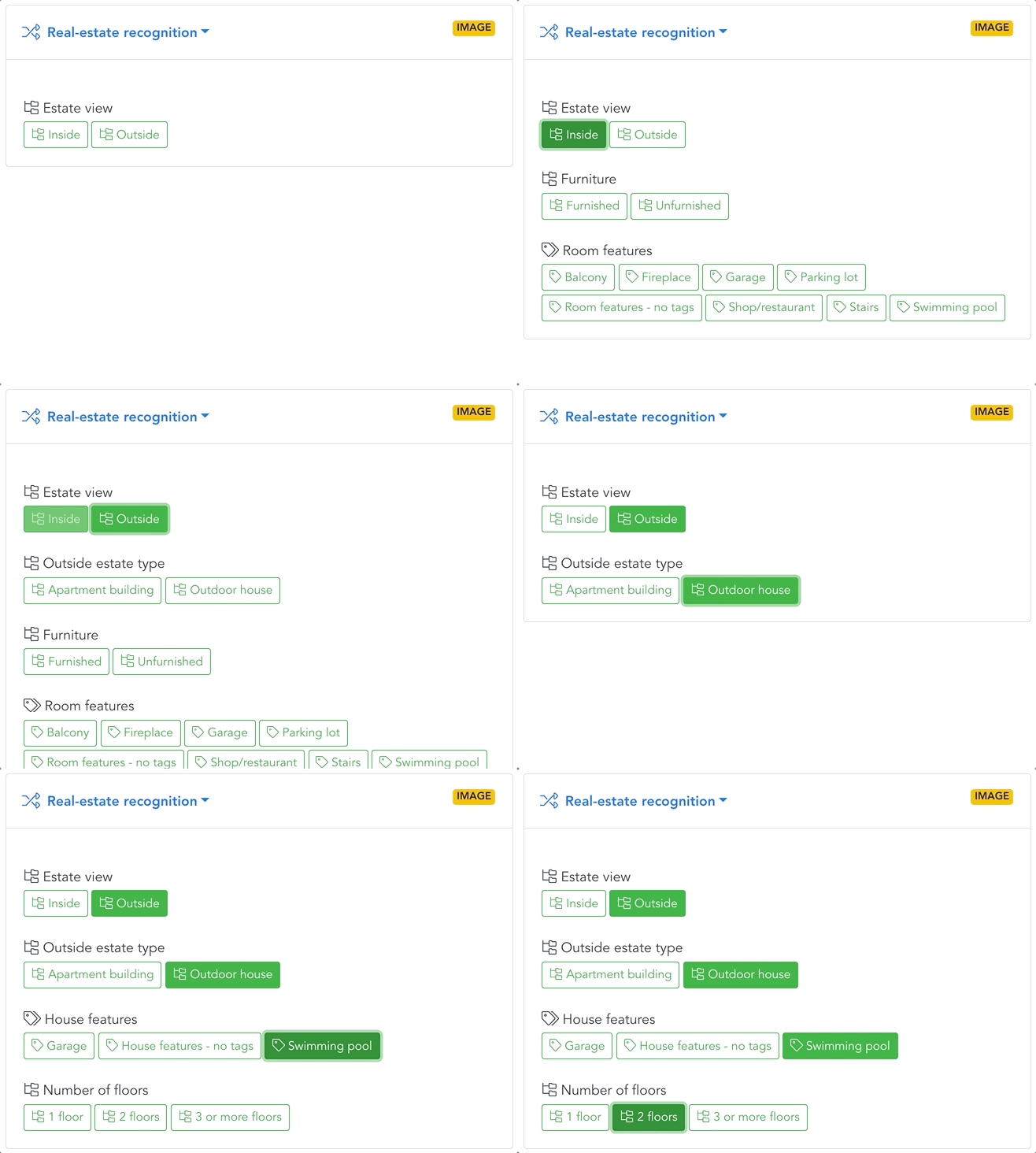
ENDLESS POSSIBILITIES
Change & Modify Your Tasks Anytime
- Combine custom & ready-to-use solutions
- Re-train, add or remove any unit
- Recognize only the detected objects
- Call more tasks (models) in one API call or multiple recognition tasks in parallel
- Add endless nested flows into a primary flow
- Use one flow in several places
Build rich hierarchy
Define a flow with a few clicks, then use it for both training & automation
Play with the features
Add, remove, or change components, duplicate & modify your flows
Make changes on the fly
Flow structure handles any changes to both dataset and connected models
EXAMPLE: REAL ESTATE
Conditional image processing
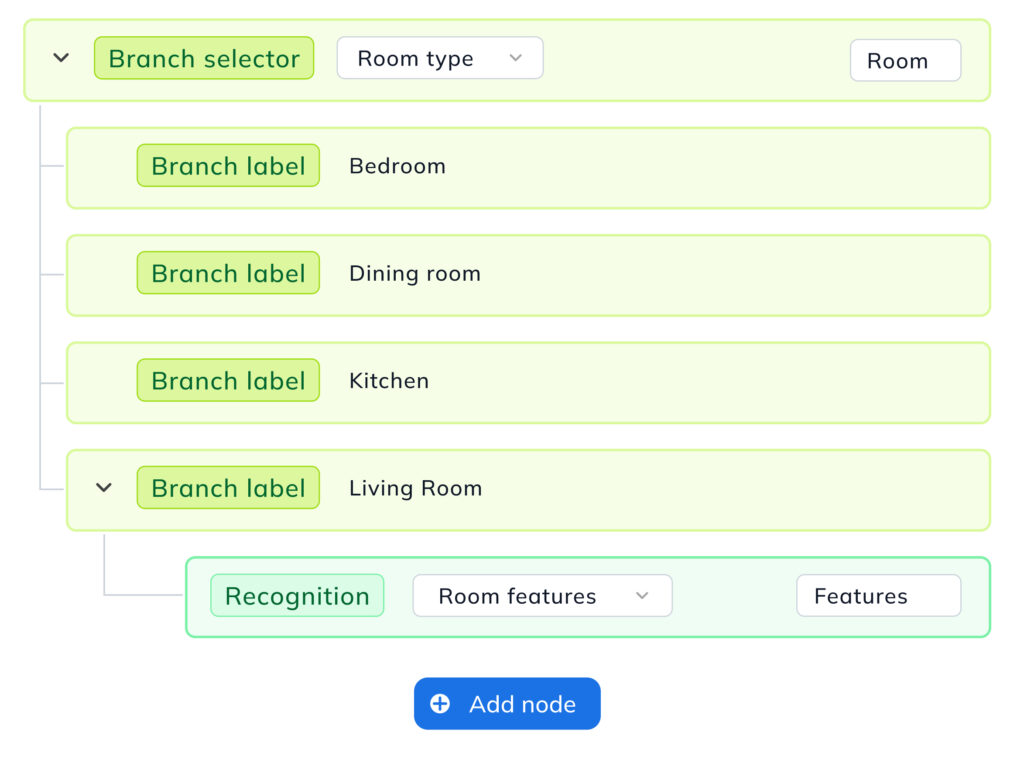
Imagine you are building a real estate website. The first models in your flow can filter out all images that don’t meet certain selection criteria. In this case, it would be the pictures without any real estate, rooms, or furnishing.
EXAMPLE: REAL ESTATE
Automatic filtering, sorting & tagging
Images can then be gradually sorted with an increasing level of precision. The first task (model) separates apartments and houses. Then, the apartments are sorted by room type, design, and furniture decor, and the houses by features such as architecture, area, garden or swimming pool.
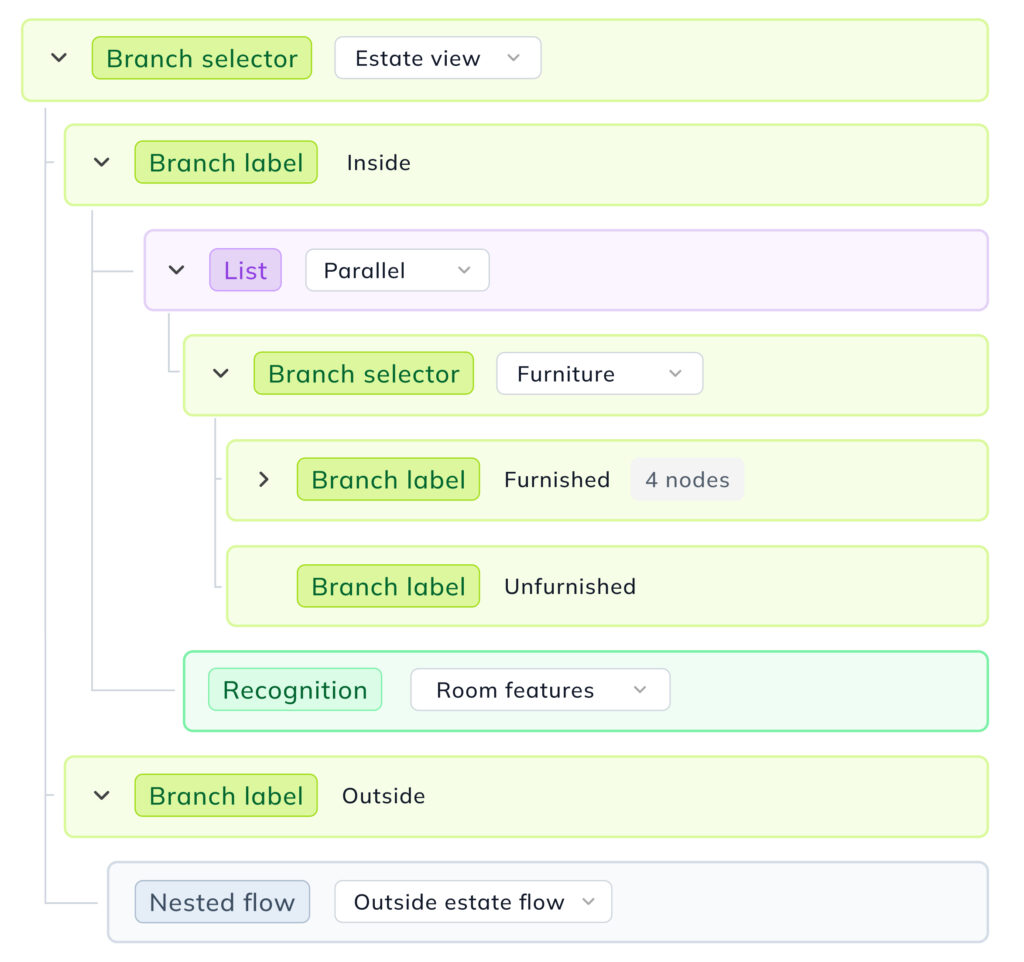
Be Ahead of the Competition
Unlimited number of images
There are no limits on number of images per model/label
Use one image for many models
You can use the same images for the training of different models
Built-in data augmentation
You don’t have to prepare or multiply the training data in advance
No fees for training time
Unlike the competition, Ximilar doesn’t charge you for the training time
No fees for idle time
The same goes for idle time – you don’t pay anything
Cashing deployed models
Image processing takes 300 ms, as opposed to 2-3 s at other platforms
TECHNOLOGY STACK
We use state of the art neural network models & machine learning techniques
Our AI is improving constantly, so you always have up-to-date technology. Each model has millions of parameters that can be processed by CPU or GPU.
Our intelligent algorithm picks and uses the best performing models. We are using the latest technologies for machine learning as TensorFlow or OpenVINO.
Frequently Asked Questions
What does categorization, tagging, tags, and labels mean? What is the difference between categorization and tagging?
Automatic categorization is a process in which every image is assigned to a single category by a trained AI algorithm. The categories are visually distinctive — for example, dress vs. trousers. E-shops and enterprise catalogues typically use hierarchical taxonomies, working with both categories and subcategories.
Automatic image tagging assigns multiple attributes to each image — colour, pattern, design, style, material, and length. A dress image might be categorized as a casual dress and tagged with a rich set of descriptors simultaneously. This means even large collections can be fully enriched without manual effort.
In the context of categorization and tagging, a label describes both categories and tags. Object recognition works with bounding-box labels that identify located objects or people within a scene. Ximilar provides ready-to-use computer vision services such as Fashion Tagging and Home Decor Tagging, as well as a complete system for training custom models from scratch.
How can I train my own categorization & tagging model?
Log in to the Ximilar App and follow our step-by-step guide. No technical background is required — the system is designed so that domain experts, not just specialists, can train, evaluate, and deploy production-ready models.
Read more:
- How Ximilar technology works?
- Is there a difference between a task and a model?
- Can I use one task (model) in multiple Flows?
- How do I connect to Ximilar API?
- How do I evaluate the quality of my models? What are evaluation metrics?
- What is A/B testing of machine learning models?
- What is a machine learning loop?
Is the number of labels per task limited?
Technically, no. However, using hundreds of categories requires a correspondingly large image collection. For complex taxonomies, we recommend building a hierarchy of models and connecting them with Flows — this is how enterprise-scale systems are structured. Each element can be retrained and updated independently.
Can I combine machine learning models or put them in a sequence?
Yes. Flows help you to chain models in a sequence, combine them in parallel, put them in a hierarchical structure, and implement conditional logic. This is the core principle behind flexible visual recognition on Ximilar, accommodating new capabilities without disrupting existing workflow.
What is image labelling, and when do I need it?
Object recognition model training requires a labelled image collection. Labelling images means drawing bounding boxes around the objects that need to be located — precise and consistent markup is the single biggest determinant of recognition performance. In the Ximilar App, you can mark up images directly with Annotate, the advanced labelling tool built into the App.
Go to:
What is Annotate? How does it work?
Annotate is an advanced image labelling tool by Ximilar, fully integrated into the Ximilar App. It is built for fast, precise labelling of large training collections at speed. It shares the same back-end and database as the rest of the App — so every mark-up and verification is instantly reflected across your workspace.
You can upload images through the App and mark them up in Annotate. Assign jobs to teammates, set verification requirements, and track progress — all within the same environment you use for training and rollout. A clean, end-to-end process from raw data to production.
What is the difference between labelling in Ximilar App and Annotate?
Both share the same core principle: view an image, select the recognition task, check or draw bounding boxes, and assign categories from your hierarchy. Both can be used to create and train tasks — they are two modes within the same computer vision toolset, not separate products.
The App excels at entity creation, data upload, model training, and bulk actions. Annotate is optimised for processing large volumes of training images precisely and fast, with intelligent job queues and multi-user verification — giving team leads full insight into labelling progress and consistency.
For large projects where a category hierarchy is already in place, upload images in the App and switch to Annotate for the actual labelling work.
Does Annotate support work in a team or multiple accounts?
Yes. Your company account can have multiple workspaces, each isolated for a separate project. Team members get access to the workspaces relevant to their work, and the workspace switcher in the top right corner of the app applies everywhere in the workspace. Workspaces are also accessible via REST for programmatic data management — useful for teams managing labelling across multiple server environments.
How do I evaluate the quality of my models? What are evaluation metrics?
Each model is automatically evaluated on an evaluation dataset during training. You can also upload a separate test set for independent measurement.
In the App, navigate to your task, open the model detail view, and review evaluation metrics — precision, recall, confusion matrix, and failed images — giving you transparent, actionable insight into model output. Based on these metrics, you can further iterate and improve your training dataset to make your model more robust. We are also able to change the architecture of the neural network if needed and improve the robustness for your specific data.
You can also test a model on any individual image by dragging and dropping it or pasting a URL into the Test panel under your service.
Go to:
What is A/B testing of machine learning models?
A/B testing lets you compare the performance of a new model version against the current production build using real traffic or held-out data. It is the recommended way to validate improvements before committing to a new deployment, ensuring every update is a measurable step forward.
What is mAP metric of object detection models?
The mAP, or mean average precision (AP) is the standard evaluation metric describing the precision of your object detection models. It combines precision, recall, the precision-recall curve, average precision, and IOU (the algorithm that measures bounding box overlap) into a single score per label.
You can find mAP per category in your workspace under Object Detection > Tasks > Models in the model detail view.
Is there a difference between a task and a model?
Task refers to the type of problem being solved — image classification, object recognition, or regression. It defines the category set and training configuration. In our documentation, a task represents the starting point for your machine learning project. It serves as the abstract definition for training a recognition model and includes a set of labels, which can each be assigned to multiple training images. Your tasks, data, and images are private and accessible only to you.
Model is the trained result (of a task) — a deep model trained on your images and ready for inference. Each model includes an accuracy metric measured at the end of training.
Models are private to their owner, and each time you retrain, a new model version is created with an incremented version number. You can choose which version to deploy in production. Read How Ximilar technology works? for details.
What is a machine learning loop?
Any image processed by a deployed machine learning model can be saved to the workspace and used to retrain the model to improve it. The retraining is done manually after annotators check these new images. Then the new, better and more accurate version of the model is deployed. This loop improves the accuracy of your model in the long term, especially if the character of the data changes over time (e.g. the lightning of the scene changes dramatically). See pricing for details about availability.
Go to:
What is custom image recognition?
Image recognition is the technology that analyzes an image and describes its content — categorizing it, tagging its attributes, or locating specific objects within it.
Ximilar provides two options:
- Choose from off-the-shelf solutions for the detection, recognition, tagging, and sorting of specific image data, such as stock photos, home decor and furniture images, fashion photos, or trading and collectible cards.
- Train your own custom image recognition models on Ximilar’s computer vision platform without coding. Namely, you can train:
- image classification models: categorization & tagging, image regression (value prediction)
- object detection models
The custom models can be easily combined with existing ready-to-use solutions with Flows. Object detection requires manual annotation of training data, which can be done in the dedicated interface Annotate. The result is a full suite of visual capabilities that can be assembled, tested, and available in days rather than months.
Custom image recognition systems underpin computer vision pipelines across retail, healthcare, security, manufacturing, and beyond. Related capabilities such as OCR extend this further, extracting text from images for document processing and product data workflows.
Go to:
Read more:
- Which services does Ximilar provide, and what are the differences between them?
- How Ximilar technology works?
- How can I train my own categorization & tagging model?
- Can I combine machine learning models or put them in a sequence?
- Can I combine visual search algorithms with custom models created with Ximilar platform?
What is the use of image recognition in retail?
In retail, image recognition is pivotal in optimizing operations depending on visual data processing. One significant application lies in inventory management, where it automates tracking products and stock levels, streamlining restocking processes and minimizing manual effort.
Additionally, image recognition helps with consumer research, enabling retailers to gain insights into customer demographics and behaviour within physical stores. This information aids in optimizing store layouts, product placements, and staffing strategies to enhance the overall shopping experience.
Image recognition also supports personalized marketing initiatives by analyzing customer preferences and purchase history, allowing e-shops to tailor promotions and recommendations accordingly. This personalized shopping experience fosters stronger customer engagement and increases sales.
In many of these applications, image recognition works in tandem with visual search technology, which identifies visually similar products to items detected in product photos and real-life images.
Go to:
Read more:
In which fields does image recognition help?
Image recognition technology finds widespread application in diverse fields such as healthcare, retail, and security systems.
In healthcare, it aids in the interpretation of medical images, assisting clinicians in diagnosing diseases and identifying anomalies with greater precision. Read about some of our use cases here.
Similarly, in retail, image recognition streamlines checkout processes and, together with visual search, enhances customer experience through personalized recommendations.
In security, it strengthens surveillance systems by enabling real-time monitoring, threat detection, and facial recognition.
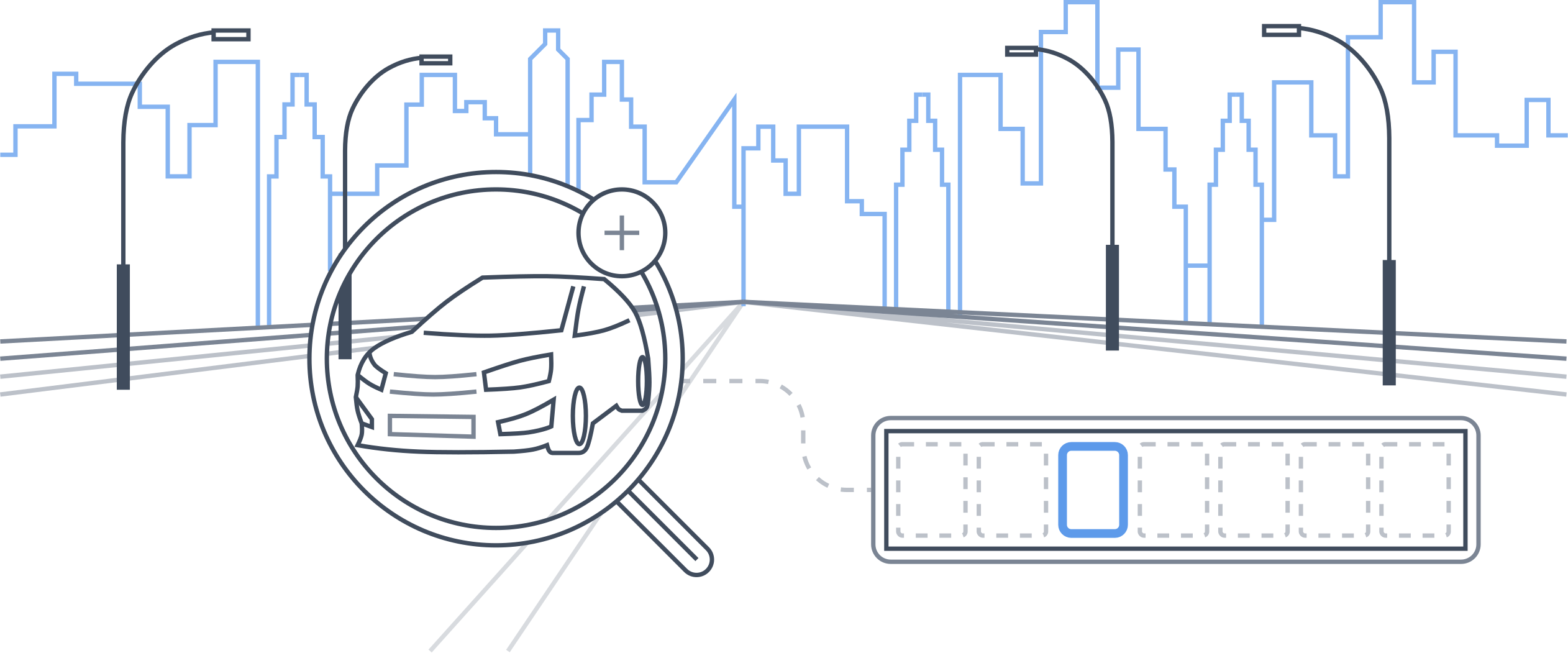
This technology is also essential for autonomous vehicles, enabling them to perceive their surroundings through cameras and sensors, recognize objects, pedestrians, and road signs, and make real-time decisions for safe navigation.
Additionally, image recognition systems help in both research and applied sciences. For instance, in biological research, microscopy image analysis and wildlife conservation. It plays a crucial role in monitoring and protecting endangered species. It enables researchers and conservationists to analyze vast amounts of camera trap data efficiently, identifying and tracking individual animals, assessing population dynamics, and detecting potential threats such as poaching or habitat loss.
Image recognition aids satellite imagery analysis, especially in monitoring vegetation coverage crucial for sectors like insurance and agriculture. LAICA, by World From Space (WFS) and Ximilar, addresses this, using deep learning to merge satellite data for daily vegetation monitoring despite cloud cover challenges.
In social media, image recognition facilitates image tagging and content moderation.
What factors determine the accuracy of the image recognition system?
The two key factors determining the accuracy of the image recognition task are the complexity of the task and the quality and quantity of the training data available.
Clean, consistently labelled data matters more than algorithm choices alone. For tasks such as OCR, additional pre-processing steps can be used to optimize input quality. Ximilar makes it straightforward to evaluate, iterate, and optimize your models over time.
What image classification techniques does the Ximilar platform offer?
The system supports single-category classification, multi-attribute tagging, and value regression — all accessible from a unified environment.
Every model type shares the same training, evaluation, and deployment pipeline, so switching between them requires no additional configuration.
How does image recognition work?
Image recognition uses convolutional neural networks to extract features from images and map them to categories, attributes, or numerical values. These mappings are learned from labelled training examples.
Related tasks such as OCR use similar mechanisms to extract text, while localisation models identify and classify multiple regions within a single image in a single inference pass.
We provide a number of off-the-shelf solutions for classifying specific image data, such as stock photos, home decor and furniture images, fashion photos, or trading and collectible cards.
Custom models can also be easily trained on our platform. A developer can access every capability via REST using Python or any HTTP client, apply compliance controls at the workspace level, and manage the full model lifecycle — from training through to production — without touching any infrastructure. Read the articles in our blog to learn about image recognition technology.
What are Flows?
Flows are Ximilar’s technology for chaining, combining, and structuring models into scalable, production-ready systems. Flows help you assemble complex image processing logic without writing orchestration code — and without managing the servers that run it.
Which services can I combine with Flows? What are Actions?
Flows were made to combine different tasks into complex image processing systems.
A Flow is assembled from the following action types:
- Branch Selector – routes images through different branches based on recognition results
- Recognition – runs a classification task and returns structured results
- Object locator – runs a recognition task and returns bounding boxes and categories
- Object Selector – isolates detected objects for independent downstream processing
- Ximilar Service – calls any ready-to-use visual service
- List – runs multiple actions in sequence or in parallel
- Nested Flow – calls another Flow
Go to:
Can I use one task (model) in multiple Flows?
Yes. A single trained model can be referenced by multiple Flows. Add the appropriate action type and select your task — no duplication of training data or model resources required.
What is the use of image recognition in healthcare?
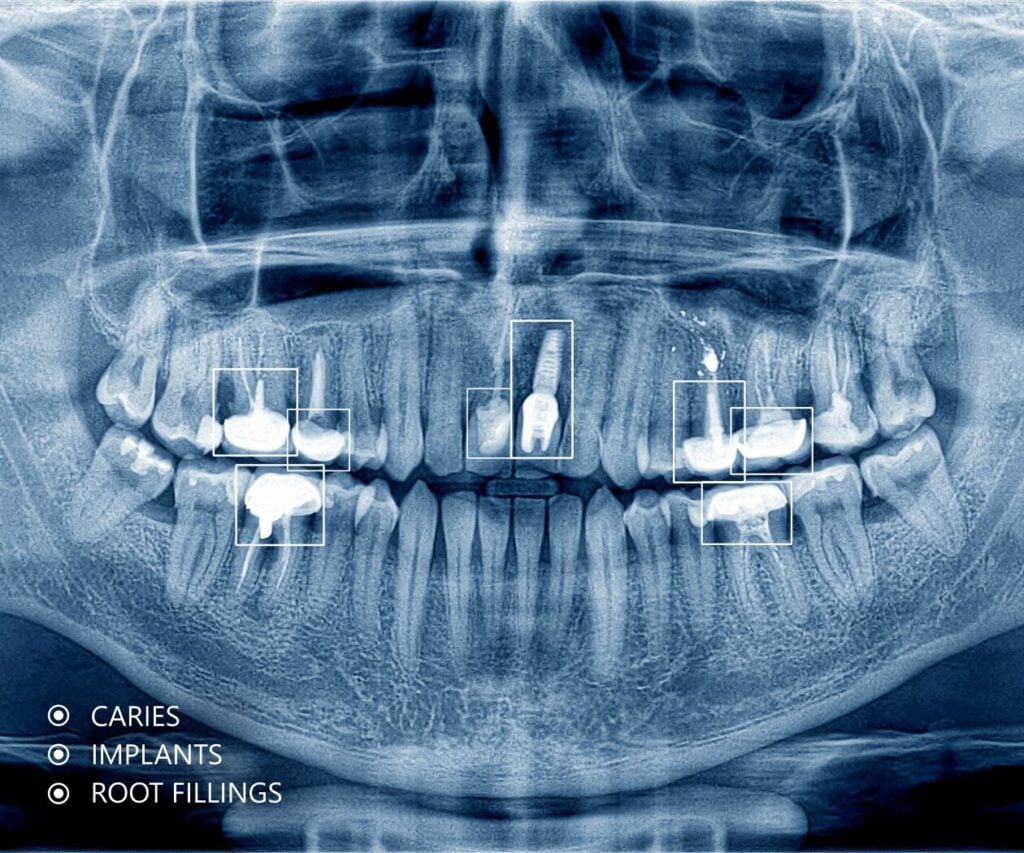
Image recognition helps optimize diagnostics, treatment, as well as patient care by employing advanced AI algorithms to identify anomalies, recognize tissue features, or flag cases for clinician review.
It facilitates early disease detection, personalized treatment plans, and efficient workflows for healthcare providers. Key applications include diagnostic imaging and disease detection, such as analyzing X-ray or microscopy images, as well as providing surgical assistance. Additionally, the technology helps with other vital use cases such as drug discovery and health data analysis.
Models run on shared cloud servers, enabling hospitals and research institutions to access advanced recognition capabilities without building and maintaining their own model stack.
Can I have multiple Flows?
Flows are available on all pricing plans. The number of Flows you can create depends on your subscription tier — check our Pricing page for details.
Go to:
Is training, deployment and using Image Recognition tasks charged?
No. Training custom models is completely free, as is deploying them. Ximilar charges neither for training time nor for idle time — only for actual inference. This makes it cost-efficient for enterprise teams running continuous updates and for smaller teams still validating their model before committing to full-scale rollout.
Go to:
I know what I need, but I’m not sure how to build a Flow.
Need help with setup? Watch the video tutorial or read the guide below. For teams that need a production-ready system without the setup overhead, we can prepare a demo on your own data and deploy the full pipeline from labelling through to REST access.
What do I pay for when using the Flows?
Creating Flows and chaining tasks costs nothing. Credits are consumed only when inference is performed — when your models process images. Plan-level limits apply to the number of Flows; check our Pricing page to find the right tier.
Go to:
How fast and efficient is the image recognition process?
Basic categorization and recognition models typically process an image in 5 to 100 milliseconds, depending on input resolution and CDN speed. Cached model serving eliminates cold-start delays — the quickest response is always ready. For high-throughput deployments, models can be further optimised to get the most from dedicated hardware.
Tips & Tricks
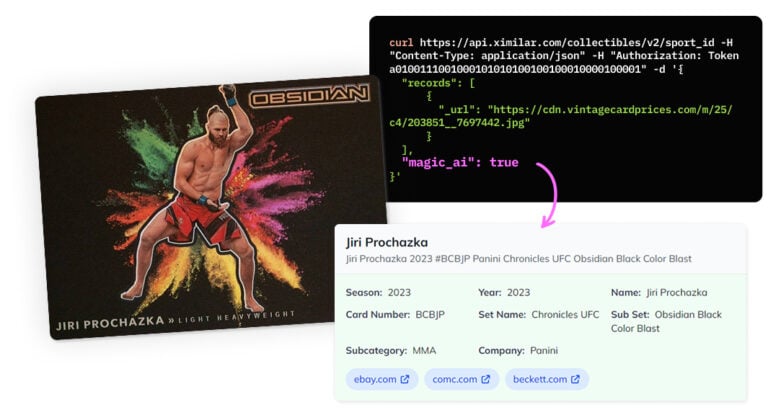
Recognize New & Rare Cards With AI Sports Card Identification
With millions of cards and variations, even the best databases miss some. We refined our sports cards recognition to identify cards even when no match exists.
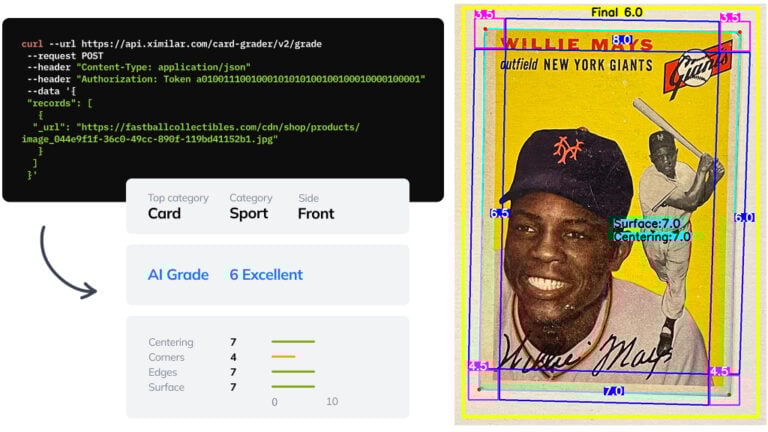
Automate Card Grading With AI via API – Step by Step
A guide on how to easily connect to our trading card grading and condition evaluation AI via API.

Getting Started with Ximilar App: Plan Setup & API Access
Ximilar App is a way to access computer vision solutions without coding and to gain your own authentication key to use them via API.
Get Image Recognition API Now
We take care of the complexity behind and wrap it in a few lines of code.
curl -H "Content-Type: application/json" -H "authorization: Token __API_TOKEN__" https://api.ximilar.com/recognition/v2/classify -d '{"task_id": "__TASK_ID__", "version": 2, "descriptor": 0, "records": [ {"_url": "https://bit.ly/2IymQJv" } ] }'import requests
import json
import base64
url = 'https://api.ximilar.com/recognition/v2/classify/'
headers = {
'Authorization': "Token __API_TOKEN__",
'Content-Type': 'application/json'
}
with open(__IMAGE_PATH__, "rb") as image_file:
encoded_string = base64.b64encode(image_file.read()).decode('utf-8')
data = {
'task_id': __TASK_ID__,
'records': [ {'_url': __IMAGE_URL__ }, {"_base64": encoded_string } ]
}
response = requests.post(endpoint, headers=headers, data=json.dumps(data)) if response.raise_for_status():
print(json.dumps(response.json(), indent=2))
else:
print('Error posting API: ' + response.text)$curl_handle = curl_init("https://api.ximilar.com/recognition/v2/classify");
$data = [
'task_id' => __TASK_ID__,
'records' => [
[ '_url' => 'https://bit.ly/2IymQJv' ],
[ '_base64' => base64_encode(file_get_contents(__PATH_TO_IMAGE__)) ]
]
];
curl_setopt($curl_handle, CURLOPT_CUSTOMREQUEST, "POST");
curl_setopt($curl_handle, CURLOPT_POSTFIELDS, json_encode($data));
curl_setopt($curl_handle, CURLOPT_RETURNTRANSFER, true);
curl_setopt($curl_handle, CURLOPT_FAILONERROR, true);
curl_setopt($curl_handle, CURLOPT_HTTPHEADER, array(
"Content-Type: application/json",
"Authorization: Token __API_TOKEN__",
"cache-control: no-cache",)
);
$response = curl_exec($curl_handle);
$error_msg = curl_error($curl_handle);
if ($error_msg) { // Handle error
print_r($error_msg);
} else { // Handle response
print_r($response);
}
curl_close ($curl_handle);Ximilar is a reliable & responsible partner in image AI. We deliver what we promise.
Contact us now- Easy setup
- •
- Expert team
- •
- Fast scaling