 Product Description
  Price Search
  Combine LLMs & Vision
  Fine-tune & Deploy
  Instance Segmentation
 Meet Cardloader.ai: Free Trading Card Scanner Software for PC, Mac and Linux
Cardloader.ai is free, open-source trading card scanner software for Windows, macOS and Linux. It identifies TCG cards, sports cards, comics and slabs from a folder or a document scanner.

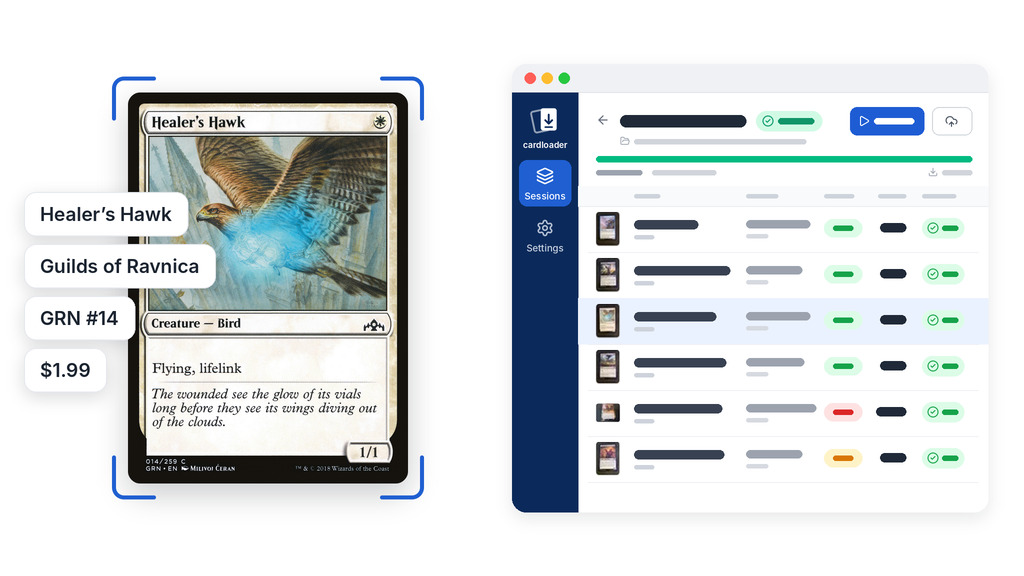
Every collector and card shop knows the problem: a box of cards that has to be catalogued. Typing names, sets and numbers into a spreadsheet by hand takes hours. Meanwhile, most scanning tools are closed source and sold as monthly subscriptions with a cap on scans. So we built Cardloader.ai: free trading card scanner software for Windows, macOS and Linux, and fully open source.
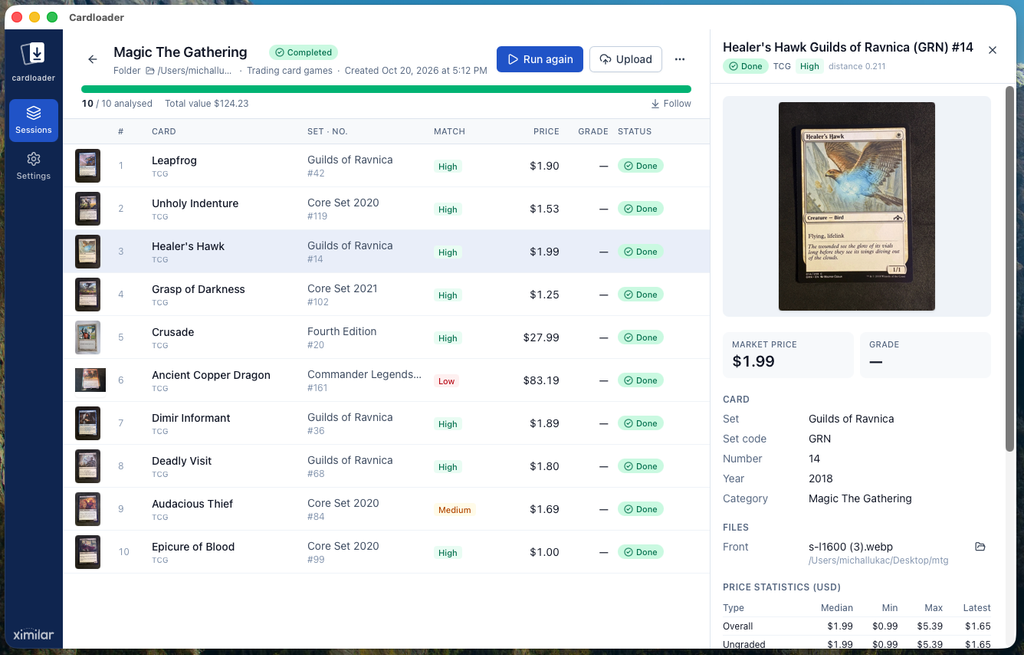
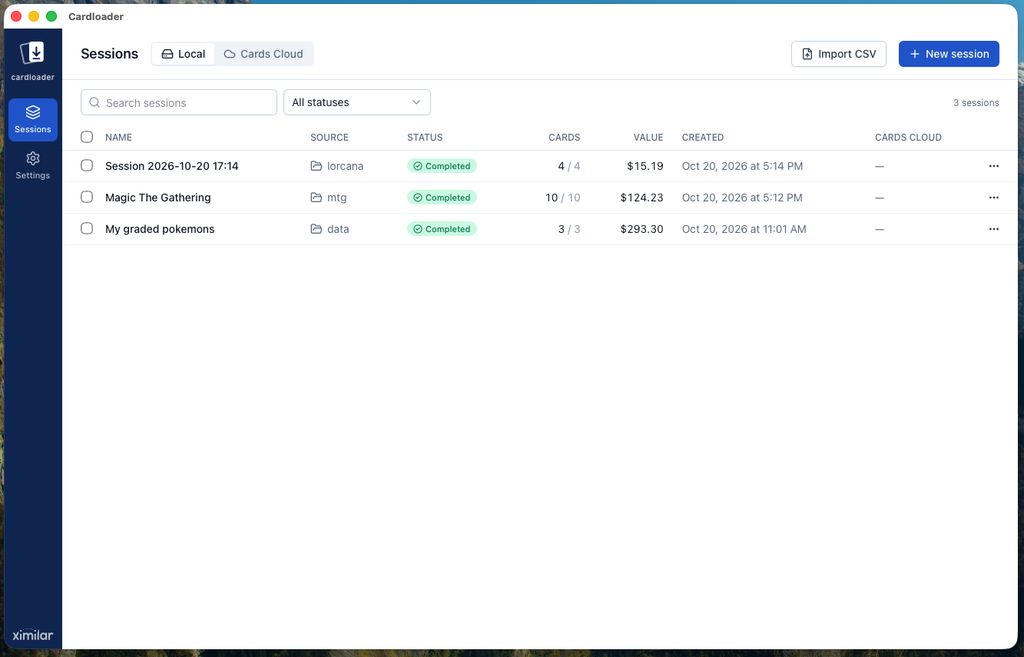
Point Cardloader at a folder of card images or at your document scanner. It identifies every card and can grade it. Sessions group cards from each folder or scanning run, so you can review, fix and export them together. In short, Cardloader works as a bulk card scanner on your own computer.
How It Works
To scan trading cards with Cardloader, you go through three steps:
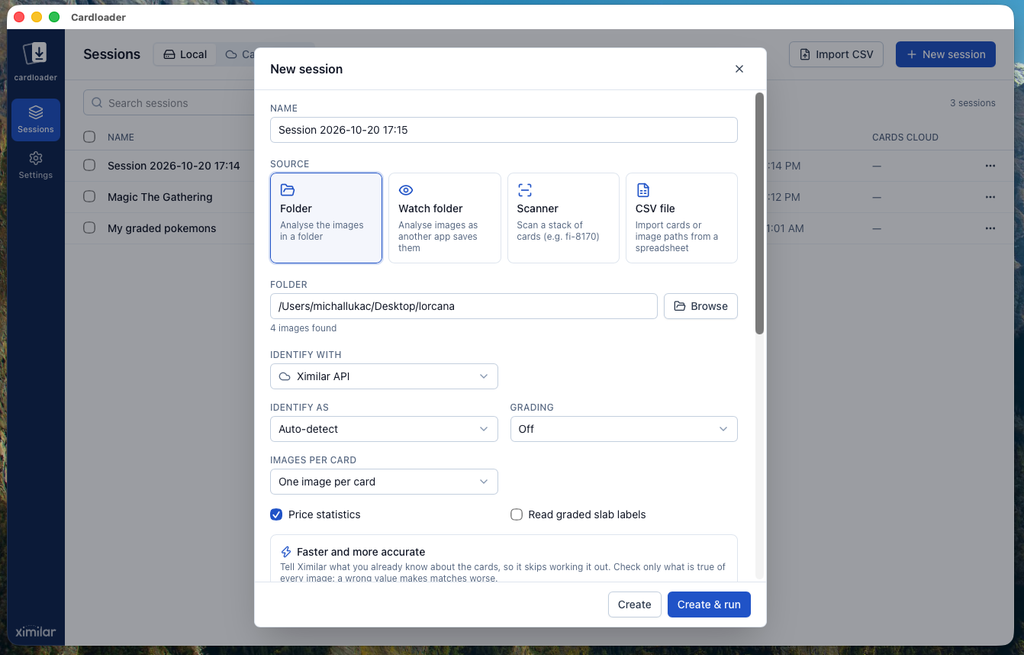
- Pick a source. A folder of scans or photos, a watch folder, a CSV (comma-separated values) file, or your scanner.
- Pick an engine. The Ximilar API (application programming interface) for exact matches, prices and grading, or a free local model that runs on your computer.
- Review and export. Results fill in live. Fix a wrong match with one click, pause and resume whenever you like, and export the session to CSV.
Scan Cards From a Folder or a Scanner
Cardloader works with the images you already have, or it can scan cards directly:
- Folder: analyse any folder of images. Fronts and backs pair up by file name (
card_F.jpg/card_B.jpg, or_front/_back). - Watch folder: another app, for example PaperStream Capture, saves the scans, and Cardloader analyses each card as it arrives.
- Scanner: Cardloader drives a Ricoh/Fujitsu fi-8170 over USB in duplex batches. On Windows, it also works with any TWAIN scanner that has a document feeder. On macOS and Linux, it works with any SANE (Scanner Access Now Easy) scanner. Other scanners, including ScanSnap models, work through a watch folder.
- CSV import: bring in a spreadsheet you already have. Rows with a card name come in as identified cards, while rows with only an image path go through recognition.
Ricoh fi-8170 Settings
Each scan runs through the automatic document feeder in duplex mode, so a card’s front and back arrive together. By default, Cardloader scans in colour at 600 dots per inch (dpi). Its 66 × 92 mm frame leaves a small margin around a standard 63 × 88 mm card.
Multifeed detection stays off, because thick, stiff cards trigger false double-feed errors. Start with stacks of about 10 raw cards, and don’t feed sleeved cards. A flatbed scanner or any other image scanner also works through a watch folder, as long as each image holds one card. The setup guide lists the drivers for each operating system.
Two Engines: Ximilar API or Local AI
Cardloader can identify cards with one of two artificial intelligence (AI) engines. You pick the card recognition engine when you create a session, and the session keeps it.
Ximilar API: Exact Matches, Prices and Grades
The Ximilar API is the precise option. Our Collectibles Recognition endpoints cover trading card games (TCGs), sports cards and comics:
- TCG ID: Pokémon, Magic: The Gathering, Yu-Gi-Oh!, One Piece, Lorcana and more
- Sport ID: baseball, basketball, football, soccer, hockey and mixed martial arts (MMA), with an option to send the back of the card too
- Comics ID for comic books, and Slab ID for graded slabs from PSA (Professional Sports Authenticator), Beckett, CGC (Certified Guaranty Company) and other graders
- Auto mode detects the card type and identifies the card in one step, using the
/analyzeendpoint
For every TCG card, sports card or comic, you get the exact card across reprints and variants, a high, medium or low confidence level, alternative candidates and pricing data. For sports cards that aren’t in our database yet, you can turn on Magic AI. It costs extra credits, but only when it runs.
Local Model: Free and Offline
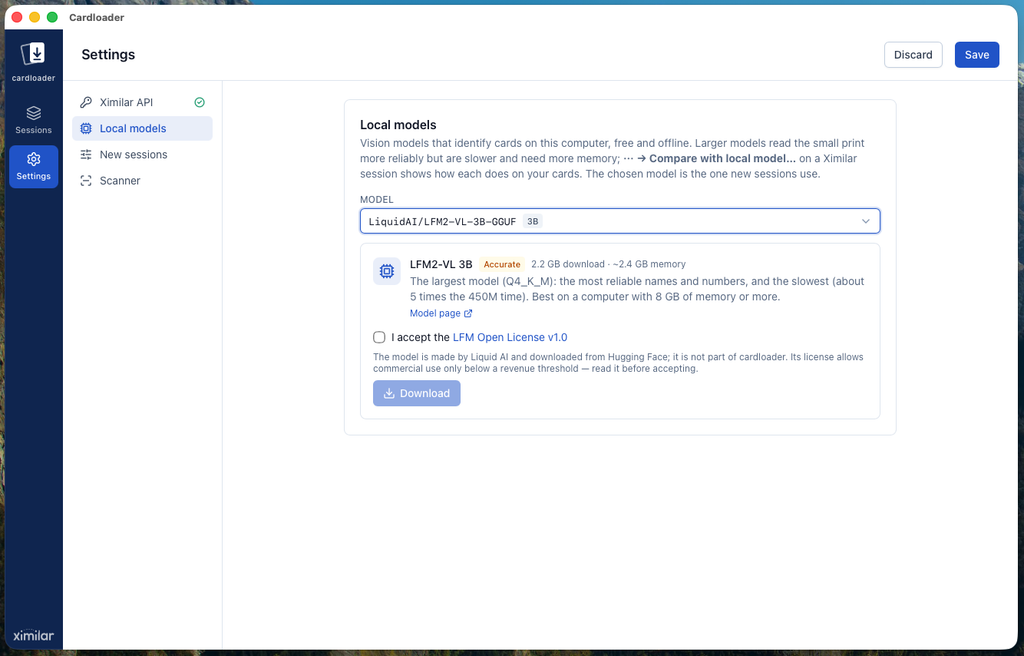
The local model is the free option. A small vision language model from Liquid AI’s LFM (Liquid Foundation Model) family runs on your computer through llama.cpp. It works offline and without any API calls, so unless you turn on Cards Cloud sync, every scan stays on your computer.
It reads the card name, collector number and year printed on the card. However, it can’t distinguish between versions of the same card, and it gives no card price, candidates or grades.
The default model, LFM2.5-VL 450M (450 million parameters), is a 330 MB download. On a Mac, it runs on the graphics chip through Metal. Windows and Linux run it on the processor instead, which is slower.
We tested it on 21 clean images of Pokémon and MTG cards. On an Apple-silicon Mac, it read 20 names and 16 collector numbers correctly, at 0.7 seconds per card. The largest option, a 3-billion-parameter model, read all 21 names and 20 numbers at 4.1 seconds per card. To see how it does on your own cards, open a session identified by Ximilar and run Compare with local model.
Grading and Cards Cloud
- Grading: with Card Grading, Cardloader grades each card in full from both sides: corners, edges, surface, centering and the final grade. It can also run an AI condition check or measure centering only.
- Cards Cloud: sessions can sync live to Ximilar Cards Cloud with images, matches, prices and grades. Cardstream.ai, our live-stream card scanner, uses the same cloud, so cards from your streams and scans end up in one place. To continue a session on another computer, paste its link into New session.
Trading Card Scanner Software vs Card Scanner Apps
Most popular card apps run on a phone: you scan a card with the camera and see what the card is worth. Ludex, Collectr and CollX are collection tools first, built to identify a card, check card values and track your card collection. Ludex, for example, sits on the App Store and has a free tier, with paid plans for more.
As trading card scanner software, Cardloader does a different job. Instead of a single card in front of a camera, it takes a stack of cards through a document scanner, or a whole folder of photos or scans. Unlike most TCG scanner apps, it then identifies them in bulk and keeps the results in a session you can export as a spreadsheet.
Paid desktop tools are closer to Cardloader. However, most of them focus on the next step: creating an eBay listing or pushing cards to a marketplace. Cardloader doesn’t do listing. Instead, it exports CSV for whatever tool you list with. Our comparison with paid card scanning software covers prices, scan limits and when a paid tool is the better fit.
Get Started
- Download Cardloader from cardloader.ai or from the GitHub releases.
- Open Settings and paste your Ximilar API token from the Ximilar App. To stay free and offline, download a model in Settings → Local models instead (the default is 330 MB), then pick Local model under Identify with when you create a session.
- Click New session, pick a folder or a scanner, and click Create & run.
Early builds may be unsigned. On macOS, the first launch says that Apple could not verify Cardloader: click Done, then System Settings → Privacy & Security → Open Anyway. On Windows, choose More info → Run anyway in SmartScreen.
The trading card scanner software itself is free. The local model is free too, including for businesses with under $10 million in annual revenue (LFM Open License). With the Ximilar API, each recognition is one API call (in Auto mode, two for a sports card with Magic AI or its back side), and each grading adds one more. Cards Cloud adds one call per session and one per stored image. Collectibles recognition needs the Business plan or a trial (see our pricing).
Open Source
We release Cardloader under the Apache-2.0 license, and the full source is on GitHub. Fork it and adapt it to your own workflow: add a new source, other collectibles or your own export columns.
Prefer working with code directly? Our Python guide to scanning and identifying cards does the same job with a script and the Ximilar API.
Version 0.1.0 came out on 20 October 2026, so Cardloader is still a young app, and we would love your feedback. Open an issue on GitHub, or reach us through the chat or our contact form. If you don’t have an account yet, sign up and start scanning cards.

Tags & Themes
Related Articles
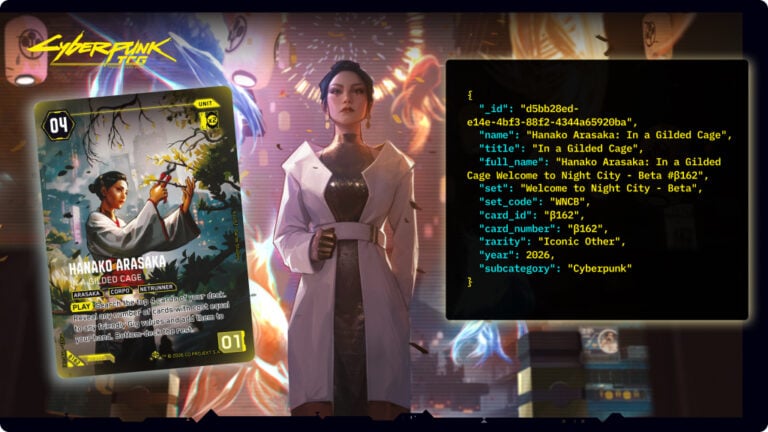
Wake Up, Collector: Cyberpunk TCG Card Recognition Is Here
Ximilar’s card AI now recognises Cyberpunk TCG cards – name, set, and rarity from a single scan. Test it in the App, via API or the demo.
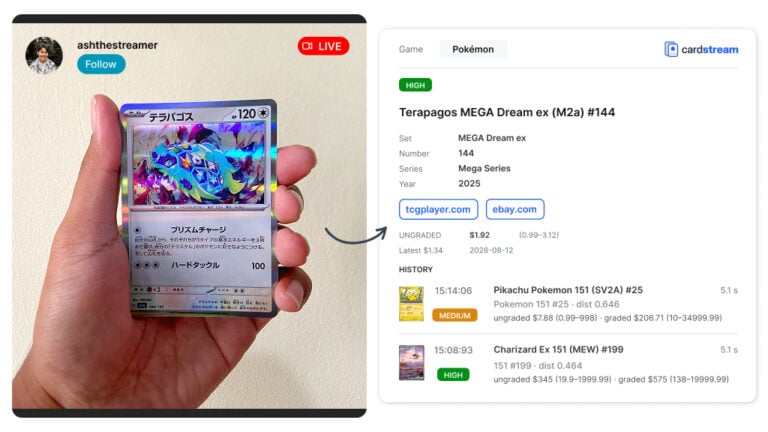
Cardstream.ai: Open-Source Card Scanner for Live Streams
An open-source card scanner for live streams. Cardstream.ai identifies TCGs like Pokémon and sports cards in real time from your video.
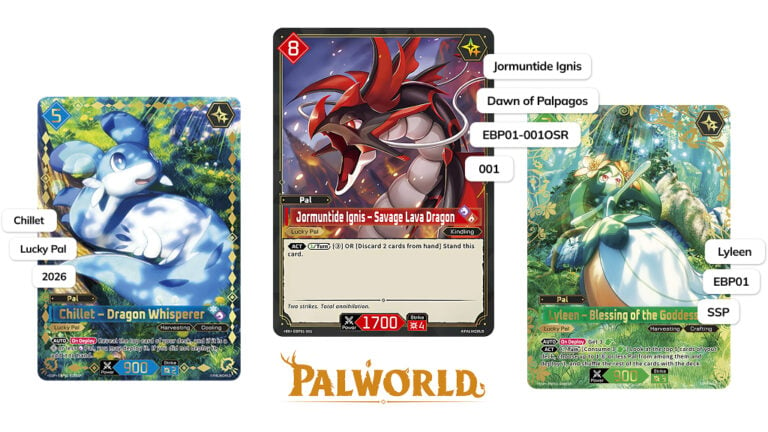
Recognize Every Palworld TCG Card in English and Japanese
Ximilar’s card AI now handles Palworld card recognition in English and Japanese, from a single scan. Test it in the App, via API or the demo.