 Product Description
  Price Search
  Combine LLMs & Vision
  Fine-tune & Deploy
 Image Annotation Tool for Teams
Annotate is an advanced image annotation tool supporting complex taxonomies and teamwork on computer vision projects.

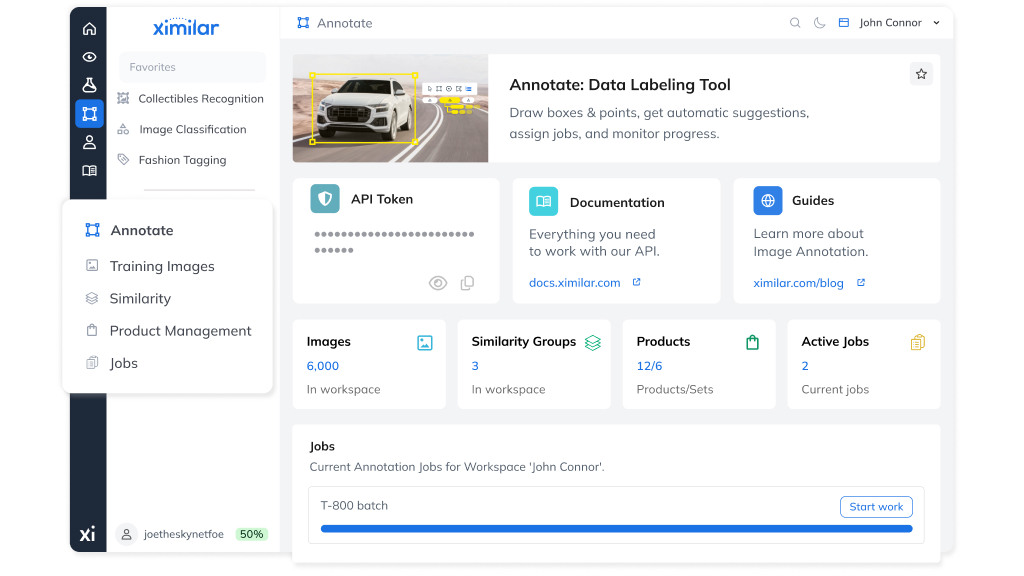
Over the years, we have worked with many annotation tools. Most desktop apps are offline and built for single-person use, not team cooperation. Web-based platforms like CVAT, LabelMe, or Label Studio tend to focus on basic data labeling workflows without covering the whole ecosystem – API, inference systems, and model training pipelines. In this article, we walk you through what makes a great image annotation tool and how Annotate delivers on every one of those needs.
The Challenges of Managing Annotation at Scale
Every large machine learning project requires active cooperation between multiple team members – engineers, researchers, annotators, and product managers. Supervised deep learning for object detection and segmentation outperforms unsupervised solutions but requires large amounts of correctly annotated training data.
Annotation is one of the most time-consuming parts of any deep learning project, which makes choosing the right labeling tool critical. As your team and projects grow in complexity, you may encounter challenges such as:
- Adding labels to the taxonomy requiring a re-check of a lot of prior work
- Increasing model performance demanding more and better-quality datasets
- Monitoring progress across multiple annotators and projects
Building solid annotation software for computer vision is not easy, as it requires a lot of trial, error, and iteration. Let’s look at what makes Annotate the right choice for teams who want to start annotating faster and smarter.
What Should an Advanced Image Annotation Tool Do?
Many customers use the Ximilar vision AI in highly specific domains, such as Fashion, Healthcare, Industry 4.0, and more. A proper annotation platform needs to be intuitive, easy to use, and powerful enough to cover requirements like:
- An intuitive interface for dataset curation that stays out of the annotator’s way
- Fast production of high-quality datasets for machine learning models
- Support for complex taxonomies and many models chained with Flows
- Features for team collaboration – assigning tasks, QA checks, and ensuring consistency
- A seamless connection to a REST API with a Python SDK and the ability to query annotated data
- Flexible export options across common file formats – including JSON, XML, CSV, and YOLO-compatible outputs
Our tools enable you to work with your own custom taxonomy of objects. This taxonomy can be mapped to our taxonomies to speed up the building of your system.
The Annotate
Annotate is a visual data annotation platform, running entirely in your web browser – no installation or desktop client required.
It operates within the same backend and database as the rest of the Ximilar App, so all changes made in Annotate are instantly reflected across your workspace. Labels, tasks, models, and images created or uploaded anywhere in the App are immediately accessible in Annotate.
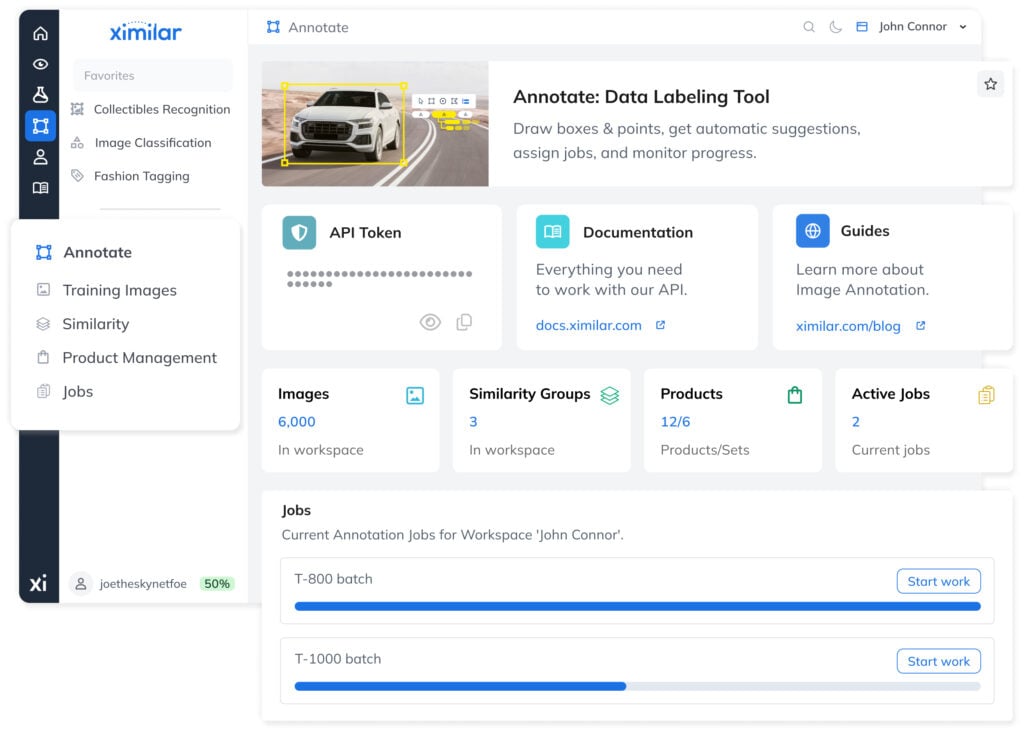
The App handles training, creating entities, uploading data, and bulk management of images. Annotate, by contrast, is designed for detail-oriented, image-level work – the place where annotators focus on one image at a time, draw objects, assign labels, and verify results. Let’s walk through Annotate’s key features.
Deep Focus on a Single Image
In your training images, you can browse through images and their labels (if they have any) for quick checks. From here, you can choose to test the image or open it in the Annotation view.
In the Annotation view, all items assigned to the image are listed on the right-hand side – this is where most labeling takes place. A toolbar for drawing objects, labeling images, and inspecting metadata is always easily accessible.
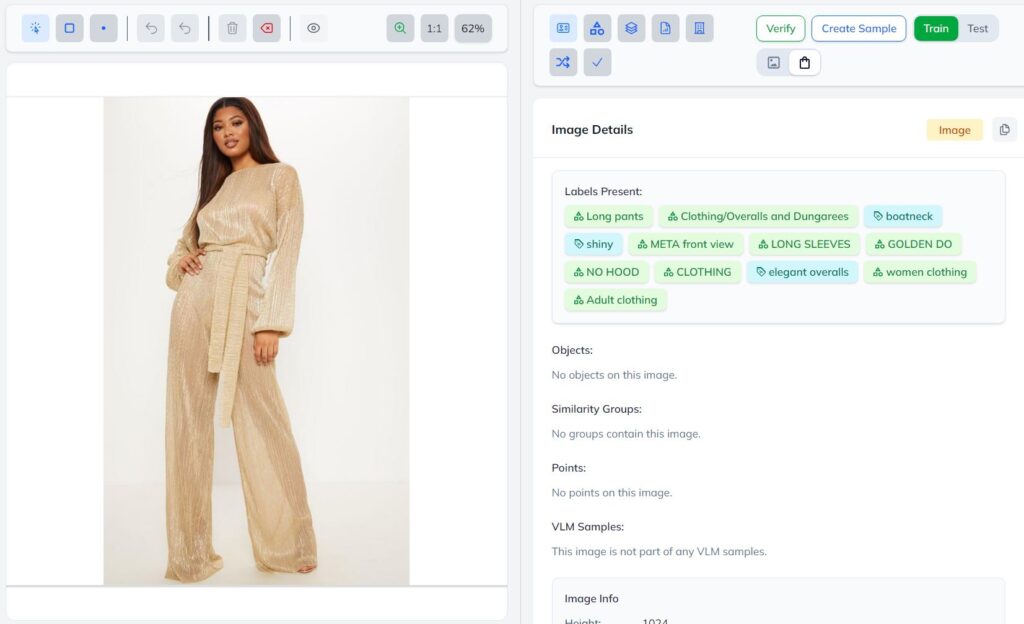
To annotate images precisely, you can zoom in and out and drag the image – especially useful when working with high-resolution images or small objects. Teams annotating medical microscope samples or satellite imagery in particular benefit from this level of control.
Create Multiple Workspaces
Workspaces allow you to divide your data into independent project environments. If your company is running multiple projects simultaneously, your account can have many workspaces – one per use case – keeping images, products, similarity groups, labels, and tasks fully separated.
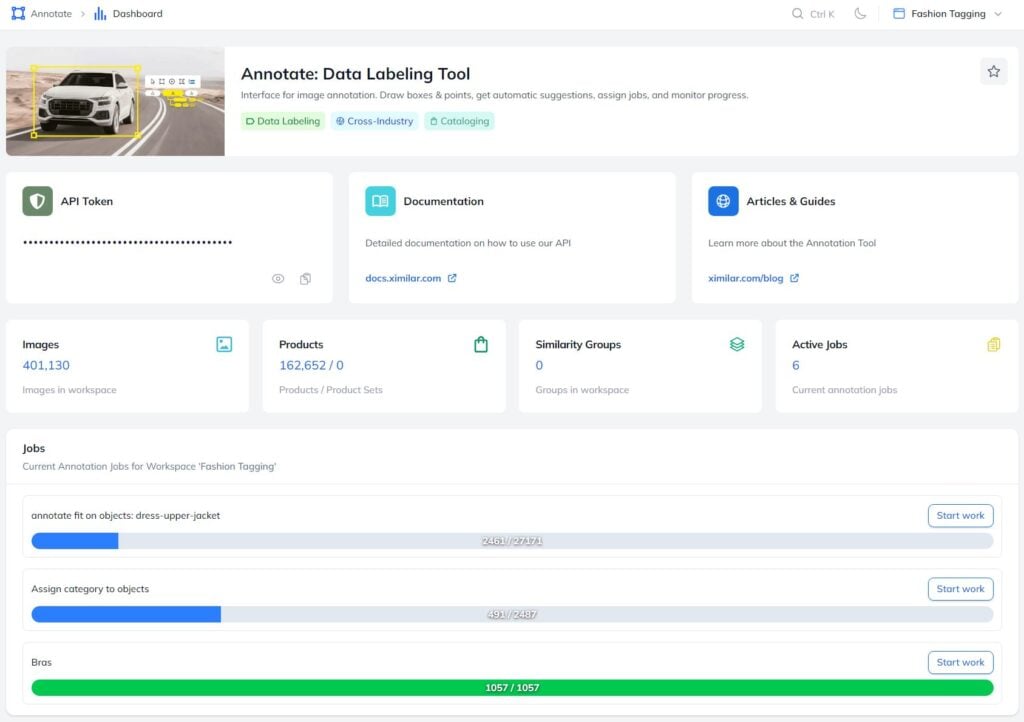
Team members can be granted access to specific workspaces and switch between them in the top-right corner of the App. Workspaces are also accessible via the API, making them easy to integrate into any existing workflow.
Train Precise AI Models with Verification
Building good computer vision models requires large volumes of data, high-quality annotations, and a team that understands the process. Annotate supports this through a structured verification system – every image can be verified by different users, and you can configure model training to use only verified images. In the words of AI researcher Andrej Karpathy:
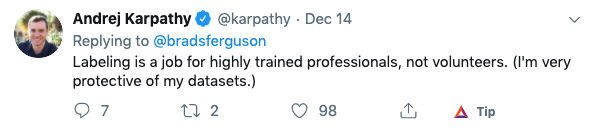
Annotate helps you build high-quality AI training datasets by verifying them. Different users in the workspace can verify each image. You can increase the precision by training your models only on verified images.
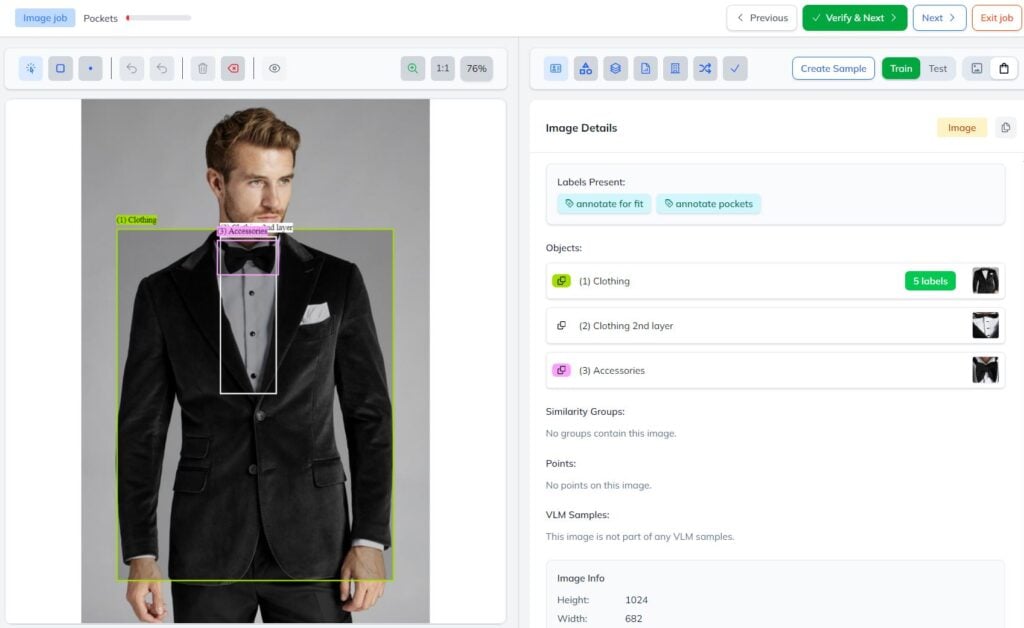
This built-in QA layer is a critical step in creating reliable, production-grade deep learning models – and something most open-source tools lack, along with collaborative verification workflows and the enterprise support required for production deployments.
Create and Track Annotation Jobs – The Fastest Way to Label at Scale
When a new batch of images needs to be processed, you can assign them to a Job – the fastest way to label images across a team.
Labelers work through images one by one in a structured queue, with full control over how many times each image is seen and which model or flow of models is displayed during the annotation process.
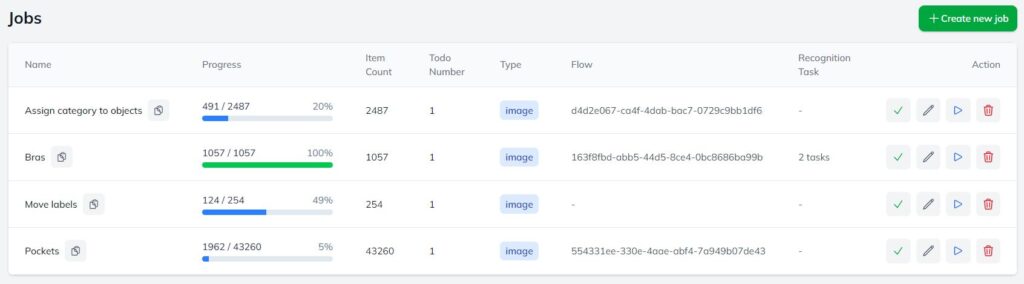
As annotators work through a job, clicking Verify & Next automatically advances them to the next image. The progress bar for each job updates in real time – once it turns green, the job is complete.
From there you can move on to retraining models, uploading new images, or creating the next job. This structured workflow keeps large-scale annotation projects moving without confusion or duplicated effort.
Types of Annotation — Draw Points & Boxes
Identifying the most probable label is sometimes not enough — you also need to locate objects precisely within the image. Annotate supports various annotation types to cover the full range of different types of labeling your project may require:
- Classification – assign category labels to the whole image
- Points – mark exact locations of objects or features with a single click, ideal for counting, keypoint labeling, or highlighting regions of interest
- Bounding boxes – draw a rectangle around any object with a simple click-and-drag
- Flag annotation – mark images that need review or re-annotation
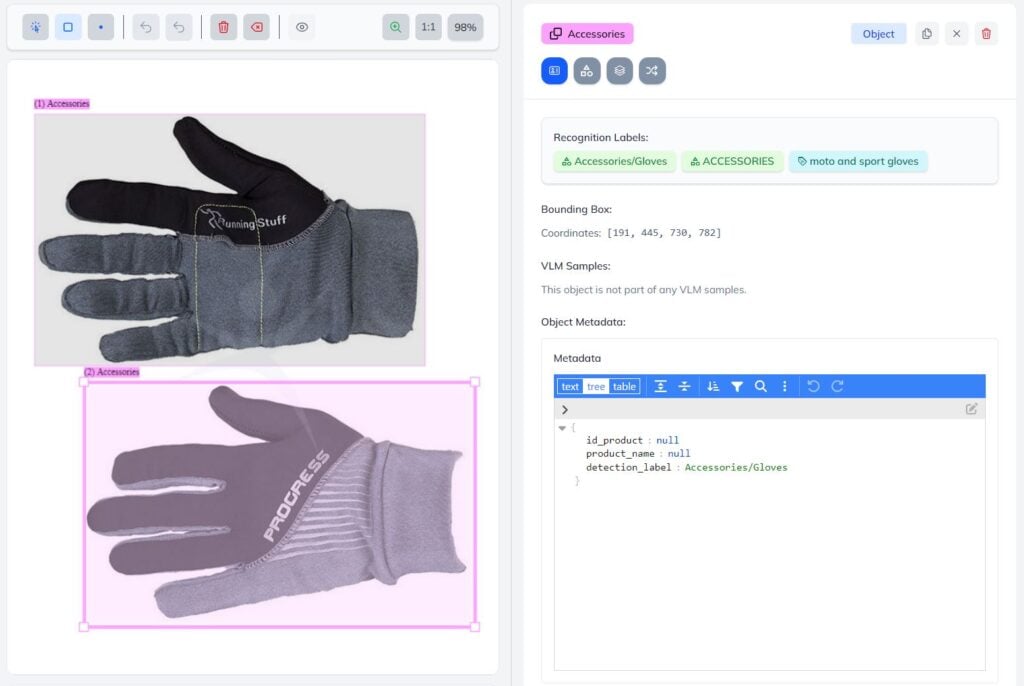
What exactly do I pay for when annotating data?
Drawing and labeling objects does not consume API credits, making Annotate one of the most cost-effective annotation tools available. The only API credits counted are for data uploads, with volume-based discounts. Check our pricing or documentation to learn more.
Annotate With Complex Taxonomies – Intuitive and Customizable
One of Annotate’s greatest strengths is handling very complex taxonomies and attribute hierarchies through an intuitive UI.
It is widely used across labeling services in e-commerce, fashion, real estate, healthcare, and robotics or autonomous systems. For instance, our Fashion Tagging service contains over 600 labels across more than 100 custom image labeling models.
AI-Assisted Manual Annotation
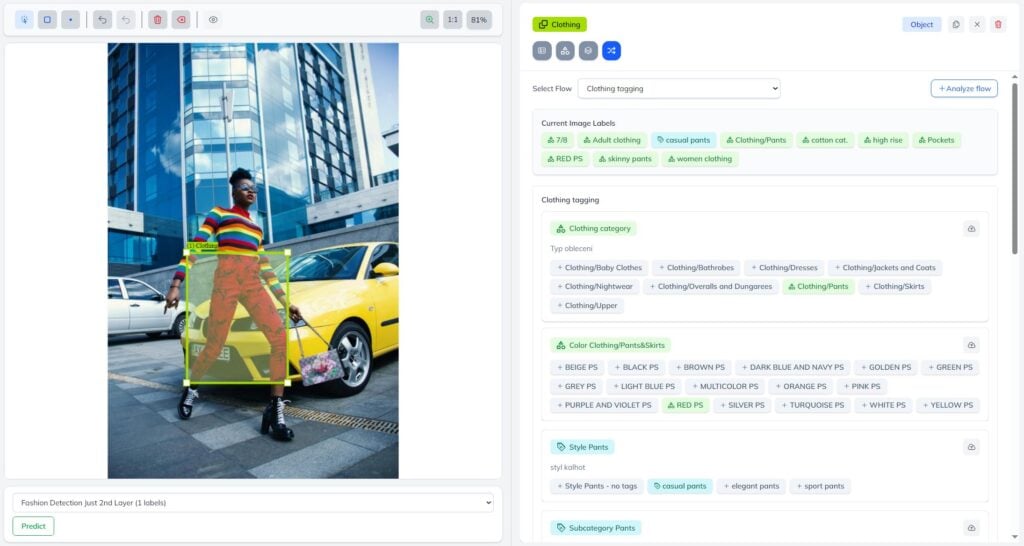
Annotate is designed to reduce manual effort and make your annotation workflow smarter. It supports AI-assisted manual annotation, where users stay in control while AI simplifies navigation through complex taxonomies handled via Flows.
When annotating, you navigate through your taxonomy tree, which expands automatically based on your selections – so you always see only the labels relevant to the current image.
For example, adding Clothing/Pants automatically reveals relevant attributes such as colours, styles, prints, materials, and pockets. This guided, annotation-driven workflow significantly reduces complexity and speeds up manual labeling.
Fully Automated Annotation
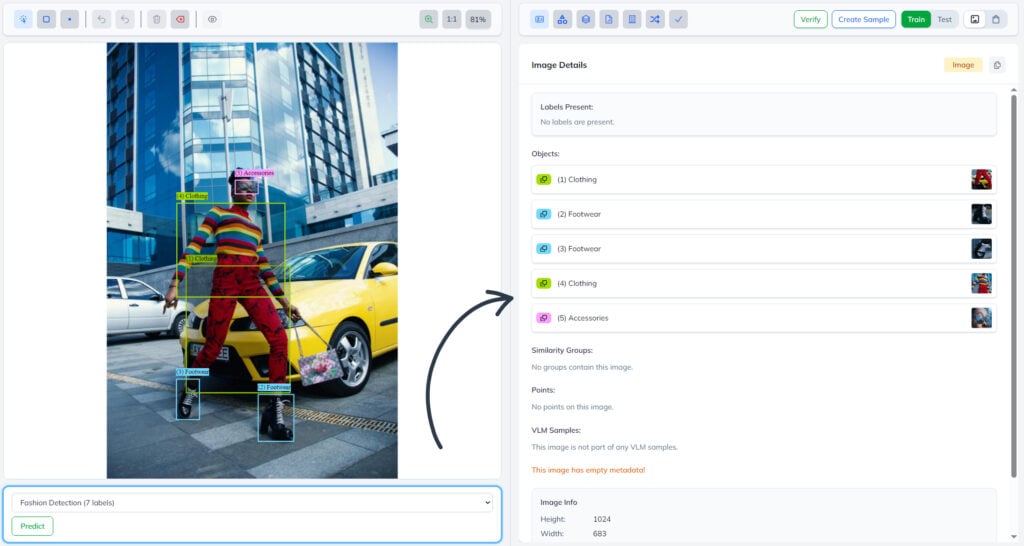
For use cases where there are well-trained models at hand – such as fashion detection, recognition, and tagging – Annotate also enables fully automated annotation.
In this mode, AI can pre-label or completely annotate images based on existing models, minimizing or eliminating the need for manual input. You can do this by selecting the model or service and clicking on “Predict” under the annotated image.
There are additional ways Annotate supports automation – you can:
- Use the API to upload annotated datasets, train or re-train models, and automatically generate predictions on new data
- Quickly label objects by creating bounding boxes and points with a single click using AI-assisted smart selection
- Export annotated datasets in standard formats (JSON, COCO, YOLO, XML, CSV), compatible with TensorFlow and other frameworks
- Create jobs, share datasets, and distribute annotation tasks across teams
Image Labeling for Visual AI Training
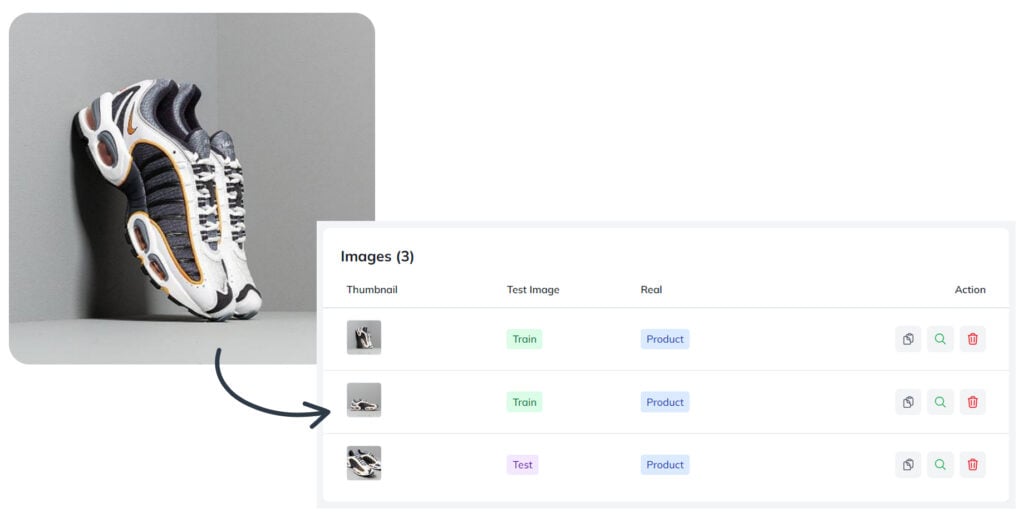
Beyond classification and detection labeling, Ximilar App and Annotate also support the creation of Similarity Groups – groupings of image and video assets used to train image similarity search models.
Get Started With Annotate
Our image annotation tool is available in Business & Professional pricing plans. Whether you’re running a focused computer vision annotation project or managing large-scale labeling services across multiple teams, it provides everything you need to produce reliable training datasets for your computer vision projects. If you’re not sure where to start or need help with the setup, let us know.

Tags & Themes
Related Articles
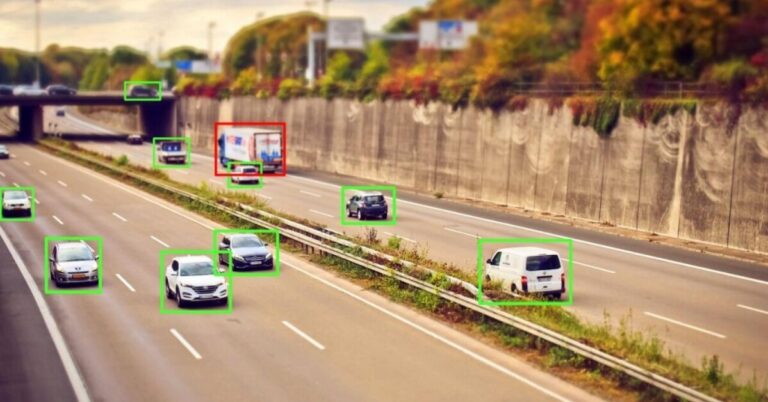
How to Train an Object Detection Model With One Click
Define, optimize and deploy to API your custom object detection model without coding.

Hololive Card Recognition for Card Scanners & Collector Apps
Ximilar’s AI now identifies every hololive OFFICIAL CARD GAME (hOCG) card – name, set, rarity, and more – in English and Japanese.
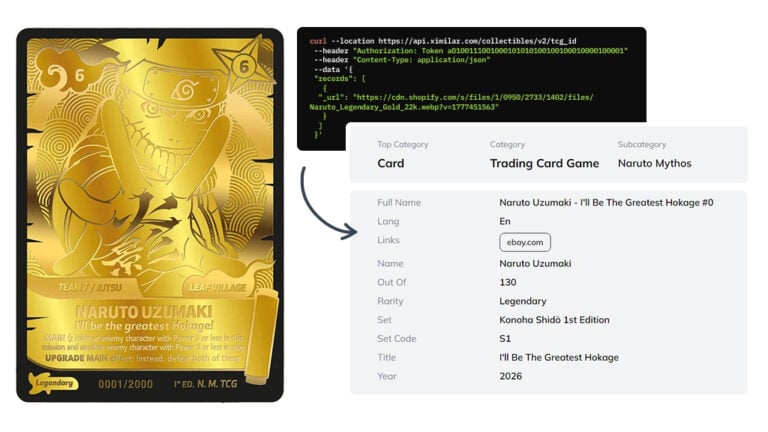
Naruto Mythos Card Recognition by TCG AI
Ximilar’s card recognition AI now identifies English Naruto Mythos TCG cards – name, set, rarity, and other details returned directly from the API.