 Product Description
  Price Search
  Combine LLMs & Vision
  Fine-tune & Deploy
  Instance Segmentation
 Vision Language Model Platform
Train multimodal vision language models (VLMs) on an AI platform combining computer vision and natural language processing.
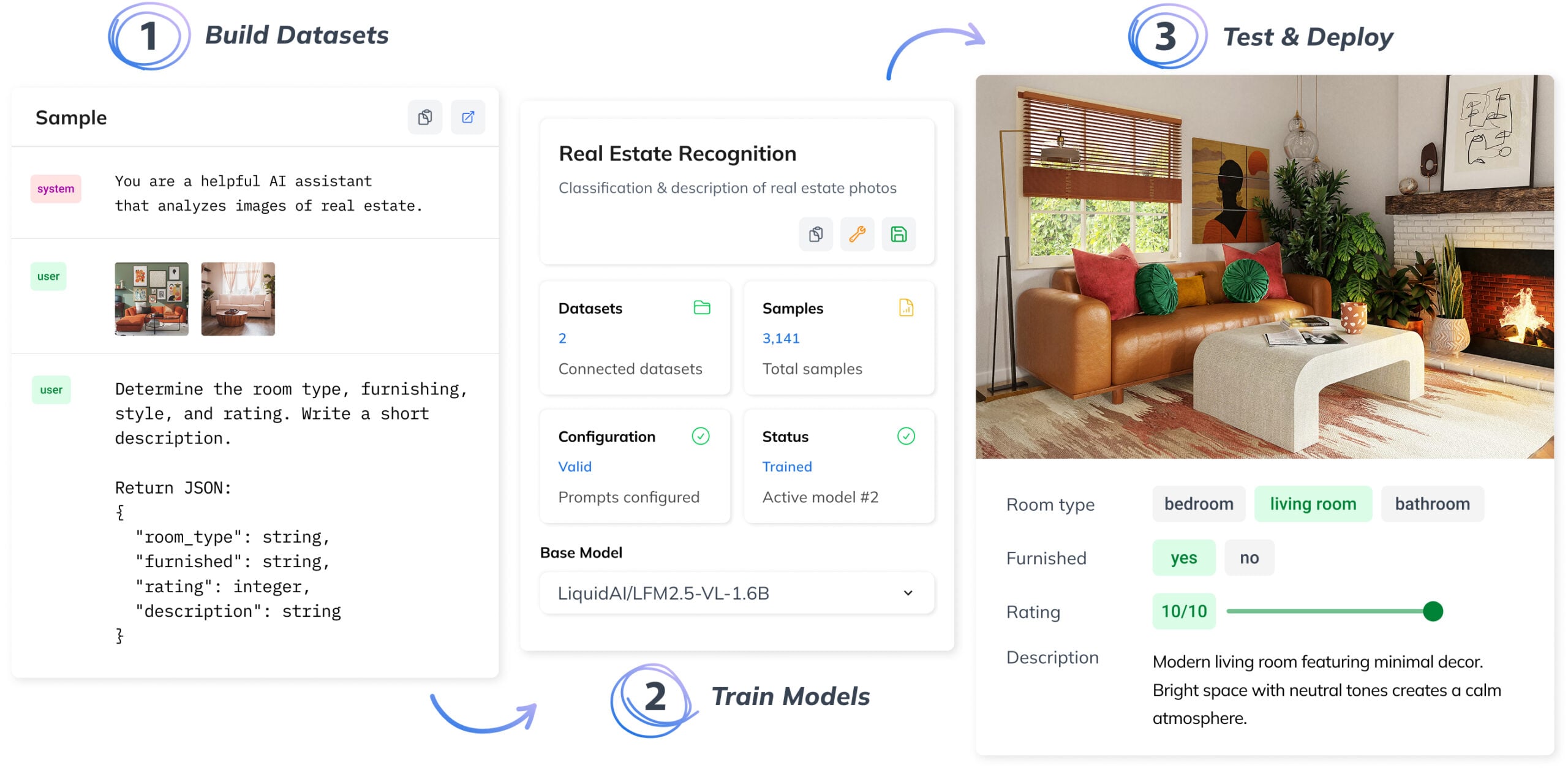
How Vision Language Models Work?
Build AI pipelines that connect computer vision with natural language processing (LLMs), working with both images and text at scale.
VISION MEETS LANGUAGE
When LLMs and Visual AI Work Together
VLMs bridge the gap between vision and language by enabling a single multimodal model to understand images and natural language input and generate text outputs.
Unlike narrow models built for a single vision task, VLMs handle tasks like image classification, answer questions about images, and more through a single multimodal architecture – combining a vision encoder with a language decoder (typically a large language model).
PRIVATE & COST-EFFECTIVE
Domain-Specific AI with Lower Costs and Full Control
Generic multimodal artificial intelligence fails on domain-specific tasks. Fine-tuned VLMs trained on your data outperform them on every relevant benchmark, delivering stronger vision and language capabilities.
Fine-tuned models are significantly more cost-effective at scale. Run them on your own infrastructure with fixed costs and no per-request fees. Deploy on-premise for full control over data and predictable scaling.
CODELESS AI
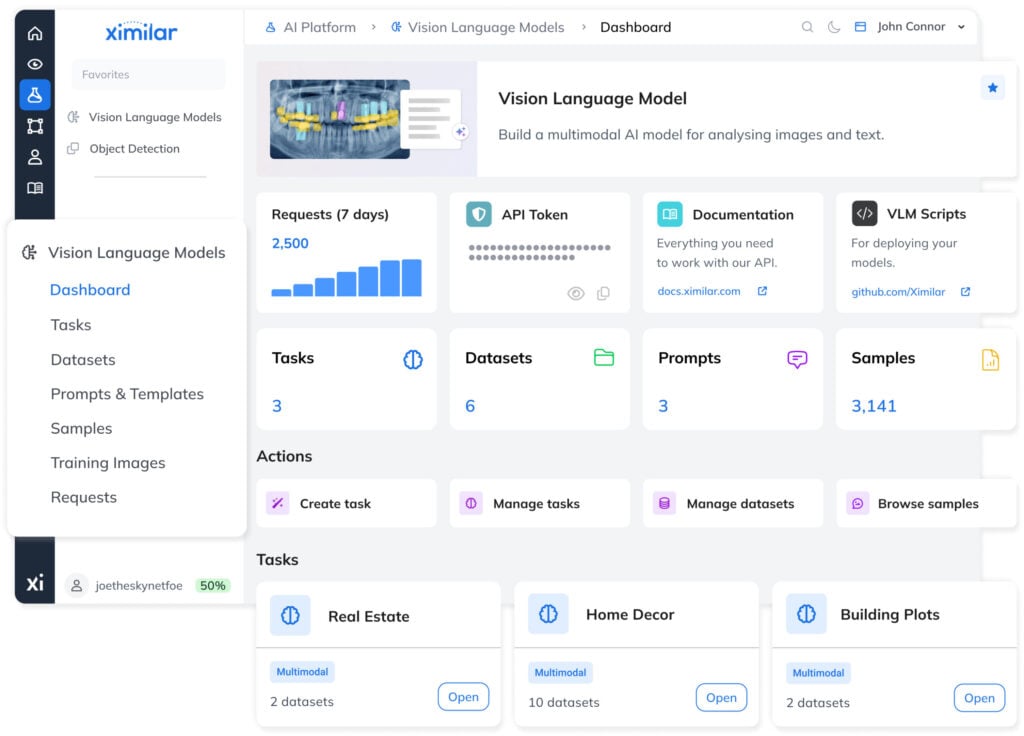
Train Your Vision Language Models on Ximilar Platform
Define your task, upload examples, and adapt a custom model to your domain in a dedicated app, without writing code or managing infrastructure.
The platform handles training and evaluation, while making it easy to build high-quality training datasets for VLMs so your AI system reflects real-world use cases. Structure samples with image captions, output variables, and prompts that keep inputs consistent across every modality.
Benefits of Fine-Tuned Vision Language Models
Built for Your Domain
Models trained on your own image-text data capture domain-specific patterns and deliver higher accuracy than general-purpose AI.
Predictable Costs
Run inference on your own infrastructure without usage-based fees. Costs stay stable regardless of traffic or number of users.
Private and Fully Local
Deploy on-device or on-premise to keep all data within your environment. No external calls, no data exposure.
Efficient Training
Adapt models quickly using LoRA or full fine-tuning, starting with small datasets and scaling as needed.
Flexible Model Choice
Explore the top open-source VLMs and choose the right foundation model for your type of data, goals and applications.
No ML Overhead
The platform handles training and deployment of multimodal tasks, so you can focus on your product and workflow.
How to Train a Vision Language Model
The platform guides you through training, evaluating, and deploying VLMs, while making it fast and simple to create high-quality datasets.
TRAINING SETUP
1. Create a Task via the Wizard
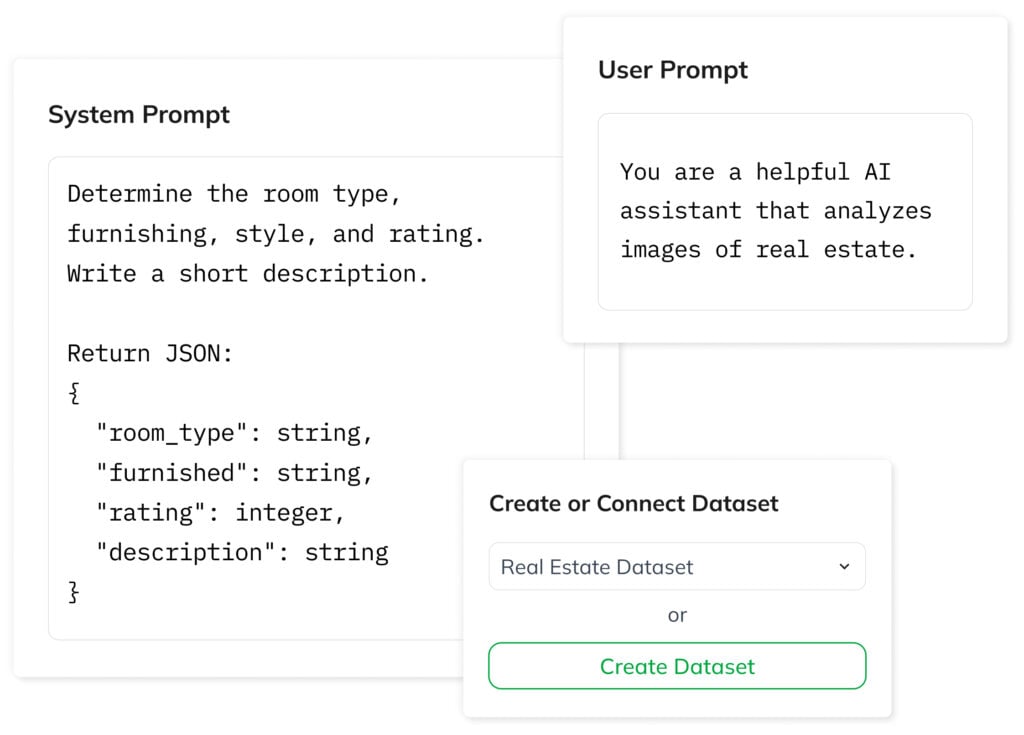
Start by defining your task using the wizard. A task defines the model architecture, links your datasets, and controls the training process. Set the model’s behavior and rules with a user prompt, and define the input structure using a system prompt.
Then connect an existing dataset or start building a new one. The platform keeps inputs consistent using predefined variables, while the interface simplifies data entry through form fields.
BEST OPEN-SOURCE VISION LANGUAGE MODELS
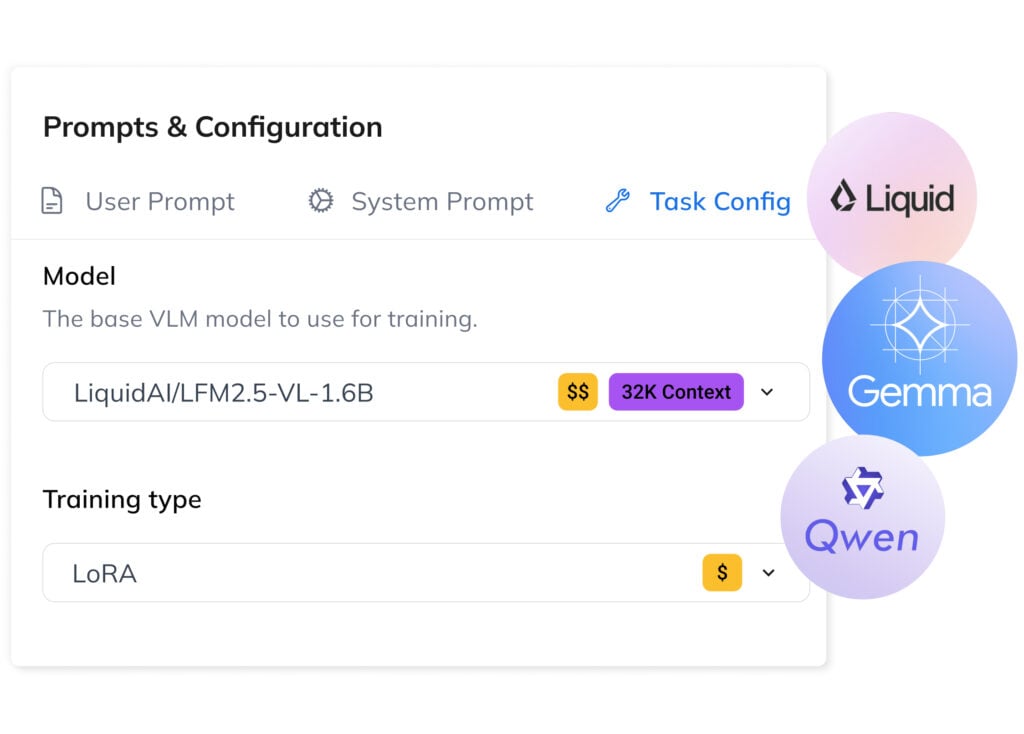
2. Pick the Right Foundation Model
-
LFM-VL by Liquid AI is a compact, cost-effective model combining a Siglip2 NaFlex image module with the LF2M transformer. Strong on vision tasks, ideal for edge deployment.
-
Gemma by Google is a mid-range model supporting 140+ languages, using a Siglip image module with the Gemma transformer. Balanced performance across image and language tasks.
-
Qwen-VL is an advanced multimodal model with DeepStack ViT and Interleaved-MRoPE transformer. Excels in image-text understanding, OCR, and spatial reasoning.
Two Training Approaches
Low-Rank Adaptation
LoRA is an efficient fine-tuning method that updates only a small subset of model parameters. Faster and cheaper than full fine-tuning, it works well for most workflows while preserving general language capabilities and knowledge.
Full Fine-Tuning
This method updates all model parameters. More resource-intensive, it delivers maximum accuracy for complex, domain-specific tasks and can be incrementally retrained as new labeled training data becomes available for improved performance.
DATASET BUILDING
3. Structure Training Data as Samples
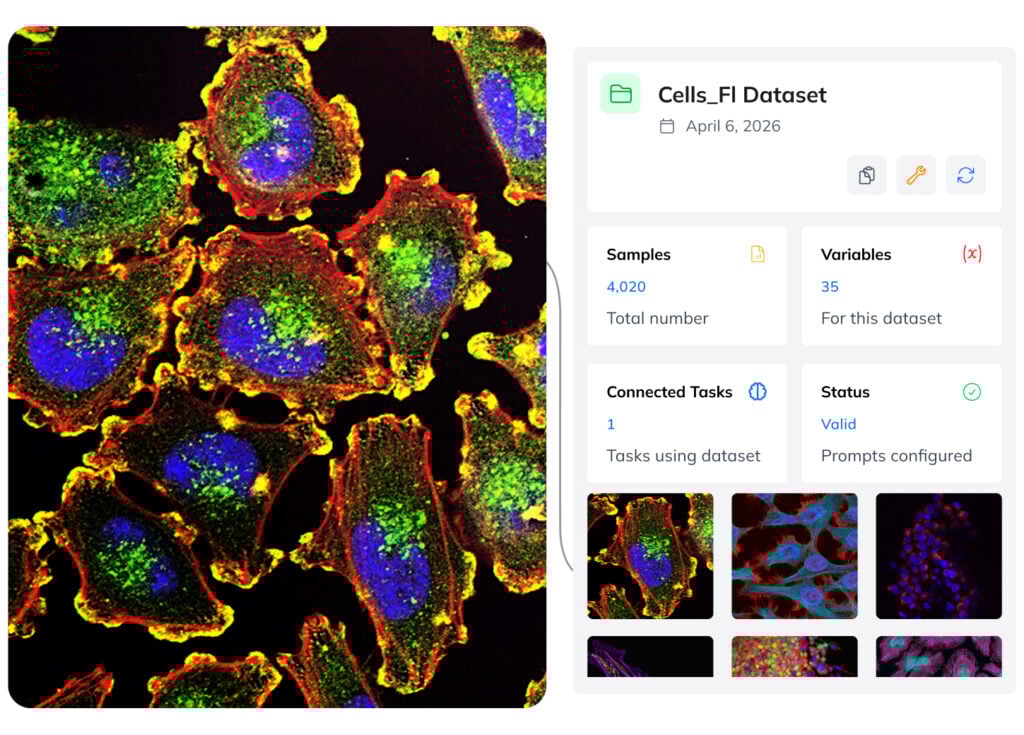
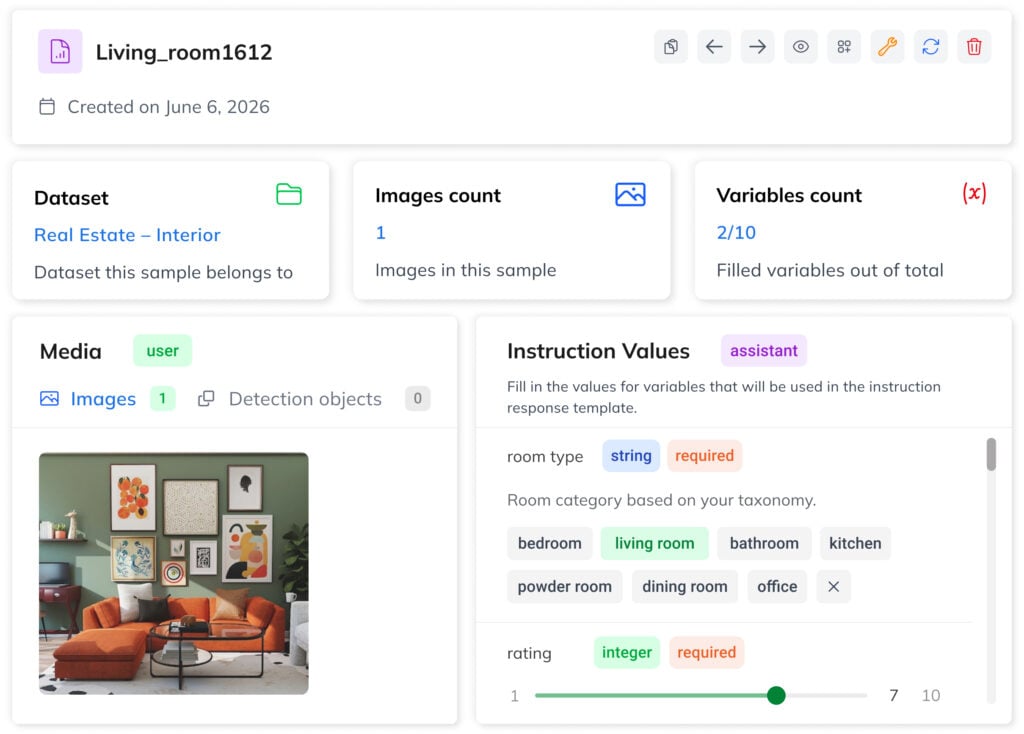
A dataset contains image-text samples with prompts and a result template with variables like {{category}}. Each sample is a training example with one or more images and filled variable values.
Predefined variables and form-based entries help you build clean, well-structured datasets and ensure reliable performance in production. Start with a few hundred samples for LoRA or scale to thousands for more complex tasks. During training, optional augmentation settings can be used to increase data variation.
LLM EVALUATION
4. Train, Review & Deploy Your Model
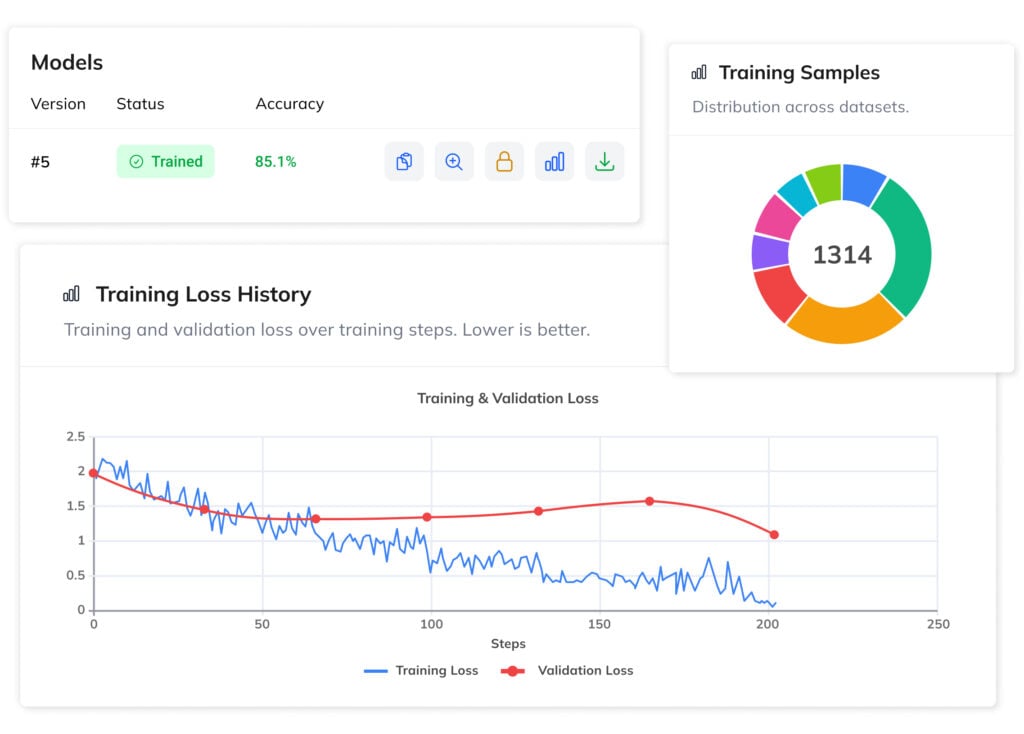
Evaluate your VLM using built-in tools, test predictions, and validate outputs before going live. This ensures the model performs reliably on real-world data and meets your requirements.
Models are ready for deployment via API by default, with the option to export and run them on your own hardware. On-premise deployment enables fully offline inference, keeping data private while reducing long-term costs and giving you full control over your infrastructure.
VLM Training Structure
Our platform uses a modular AI training workflow, combining guided model setup, iterative dataset building, and full control over the training process.
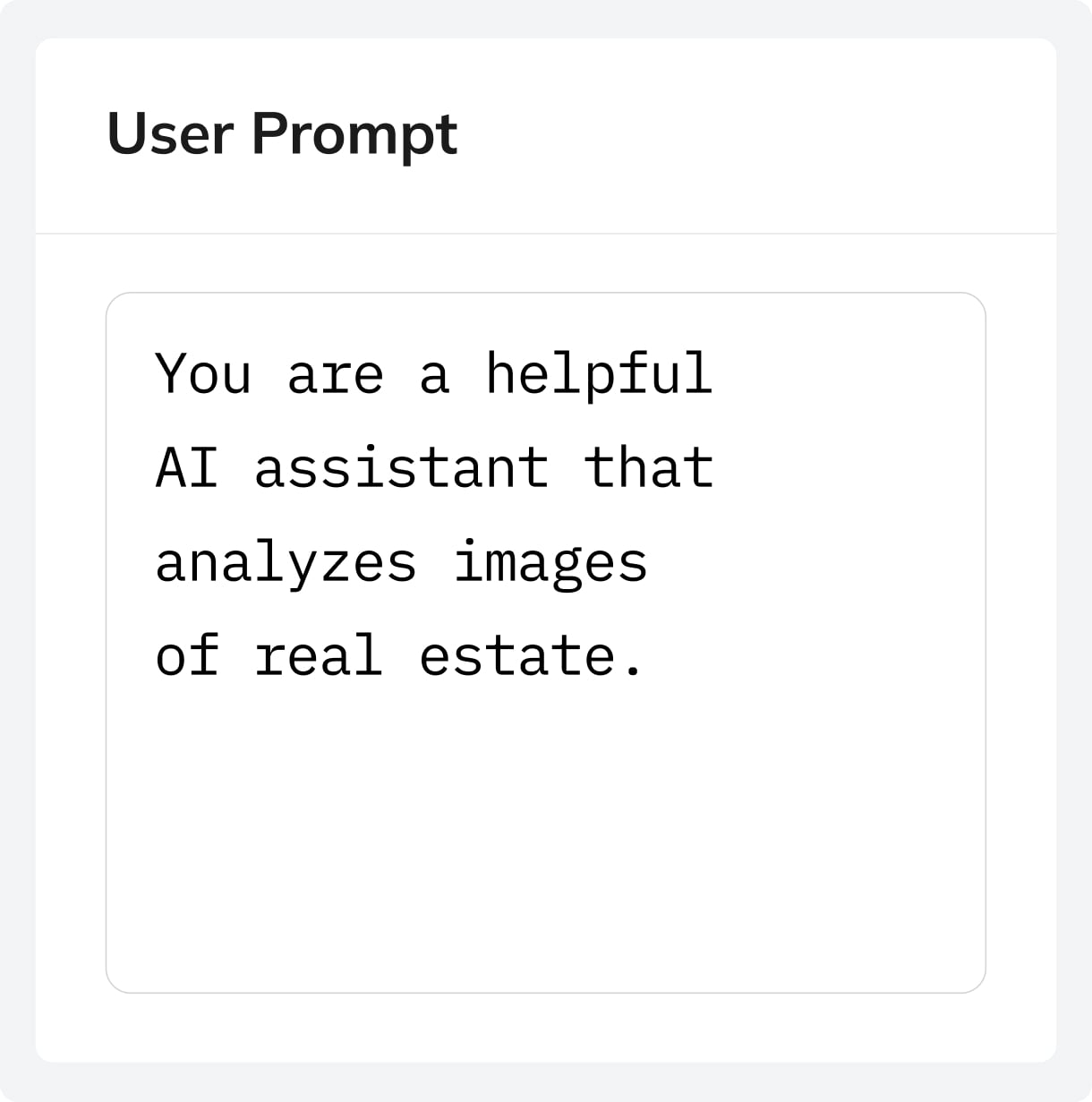
Prompt
Reusable named prompt (system, user, or template) that can be shared across multiple tasks and datasets.
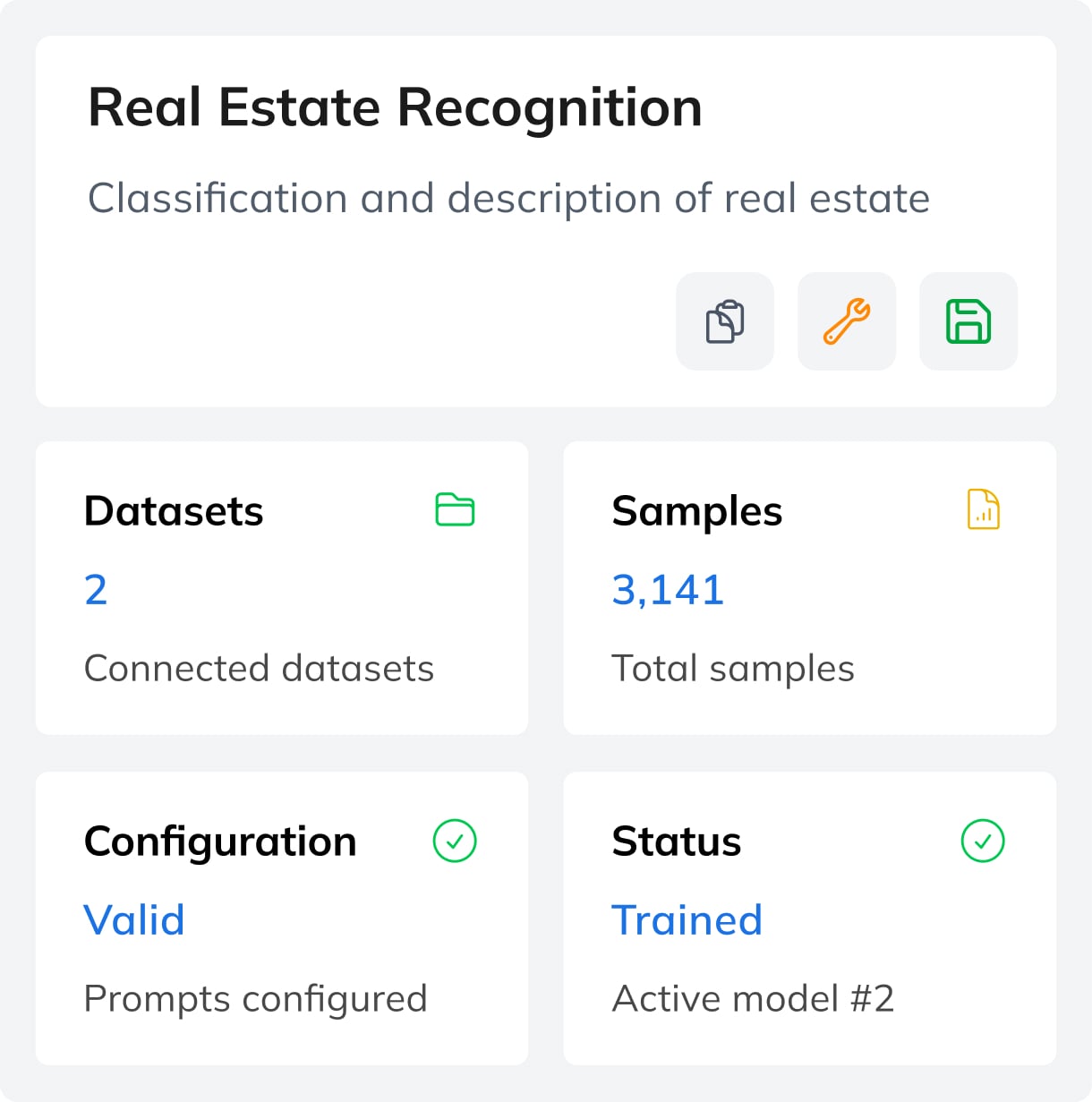
Task
Defines a VLM setup with system and user prompts and links one or more datasets for training.
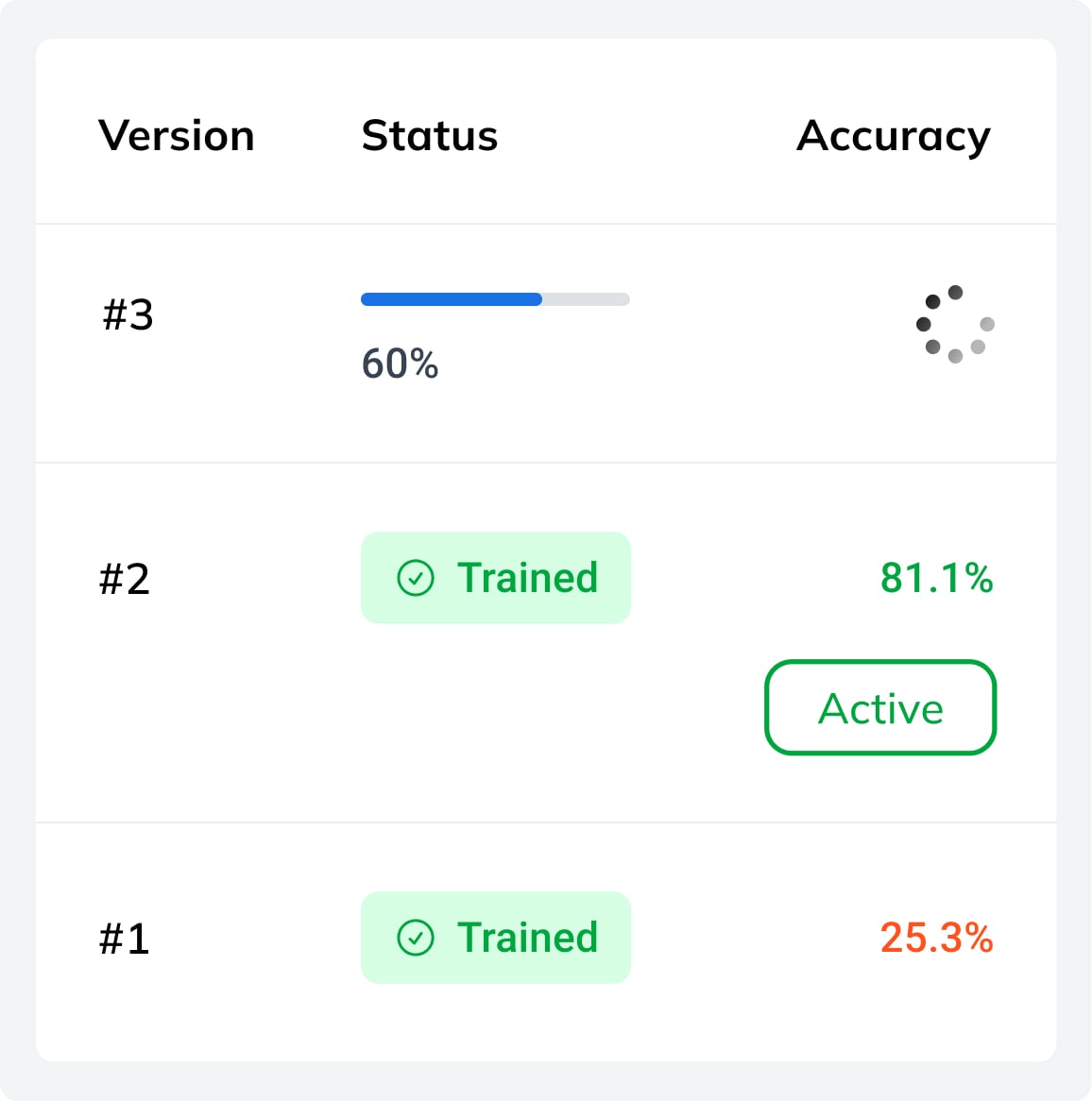
Model
The result of the training process of a Task. A trained AI model with stored weights and metrics.
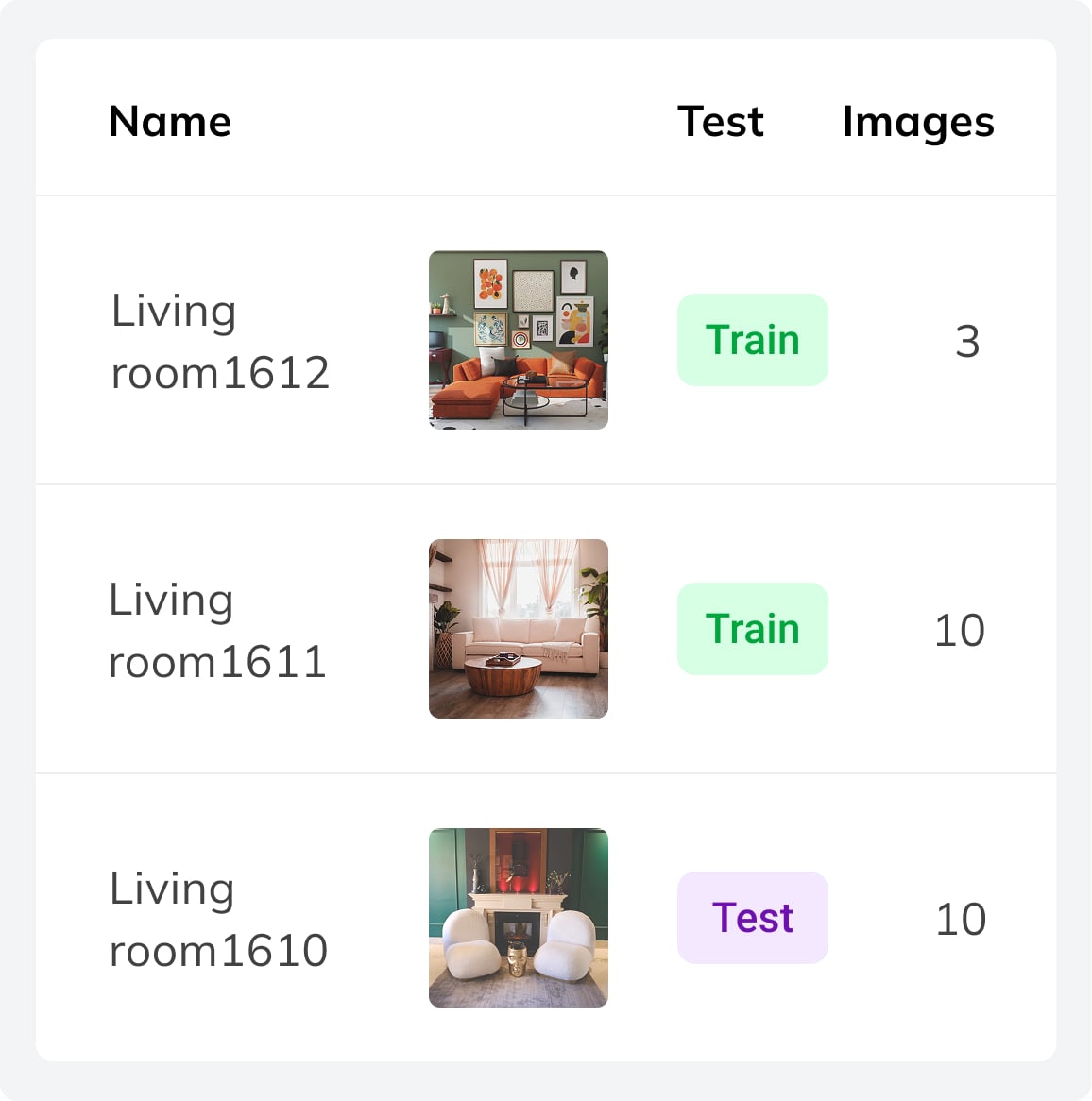
Dataset
A collection of image-text samples with a template defining the structured output for the vision-language model.
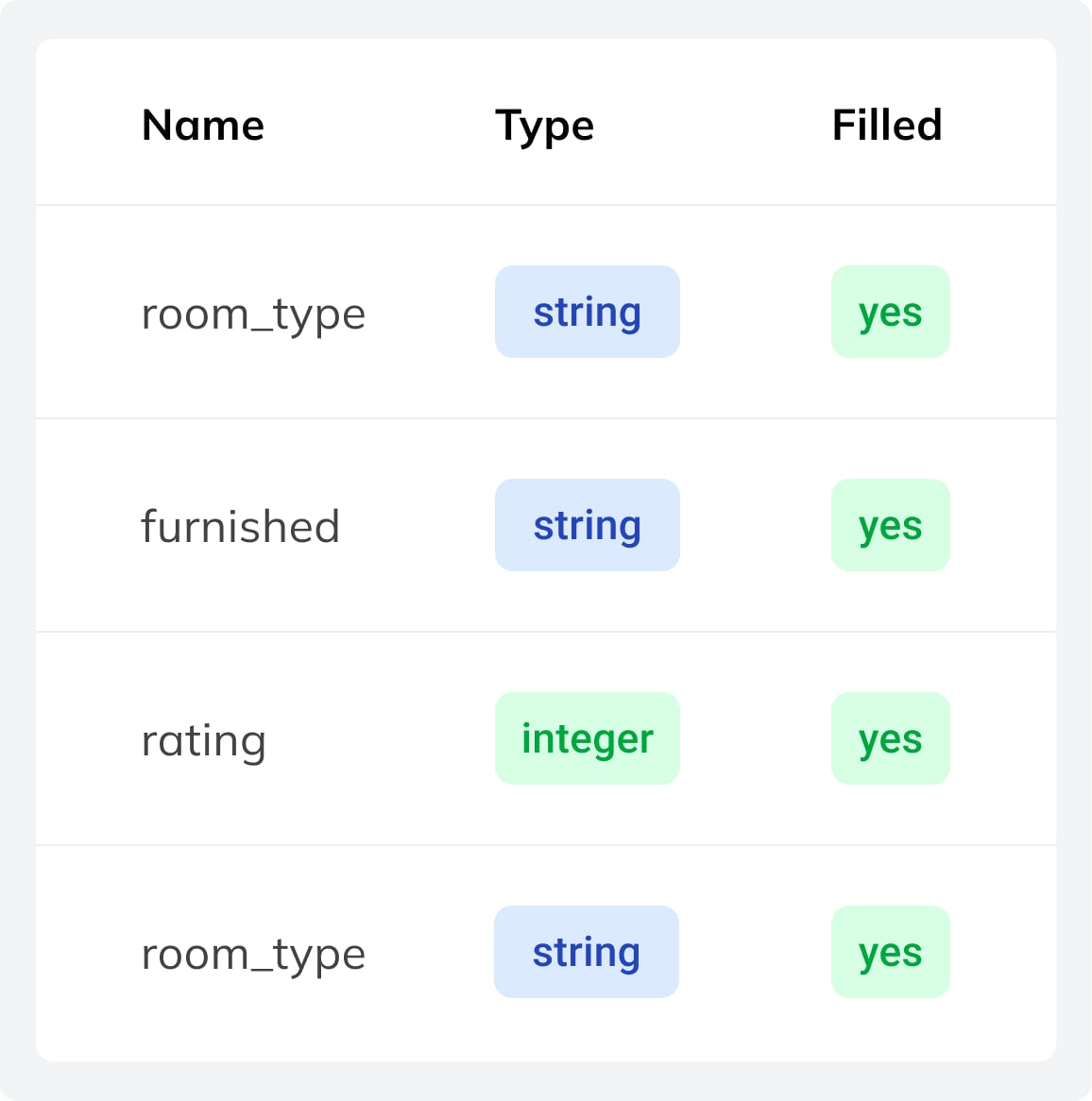
Variable
Definition of output variables, including type, constraints, and validation rules for structured model outputs.
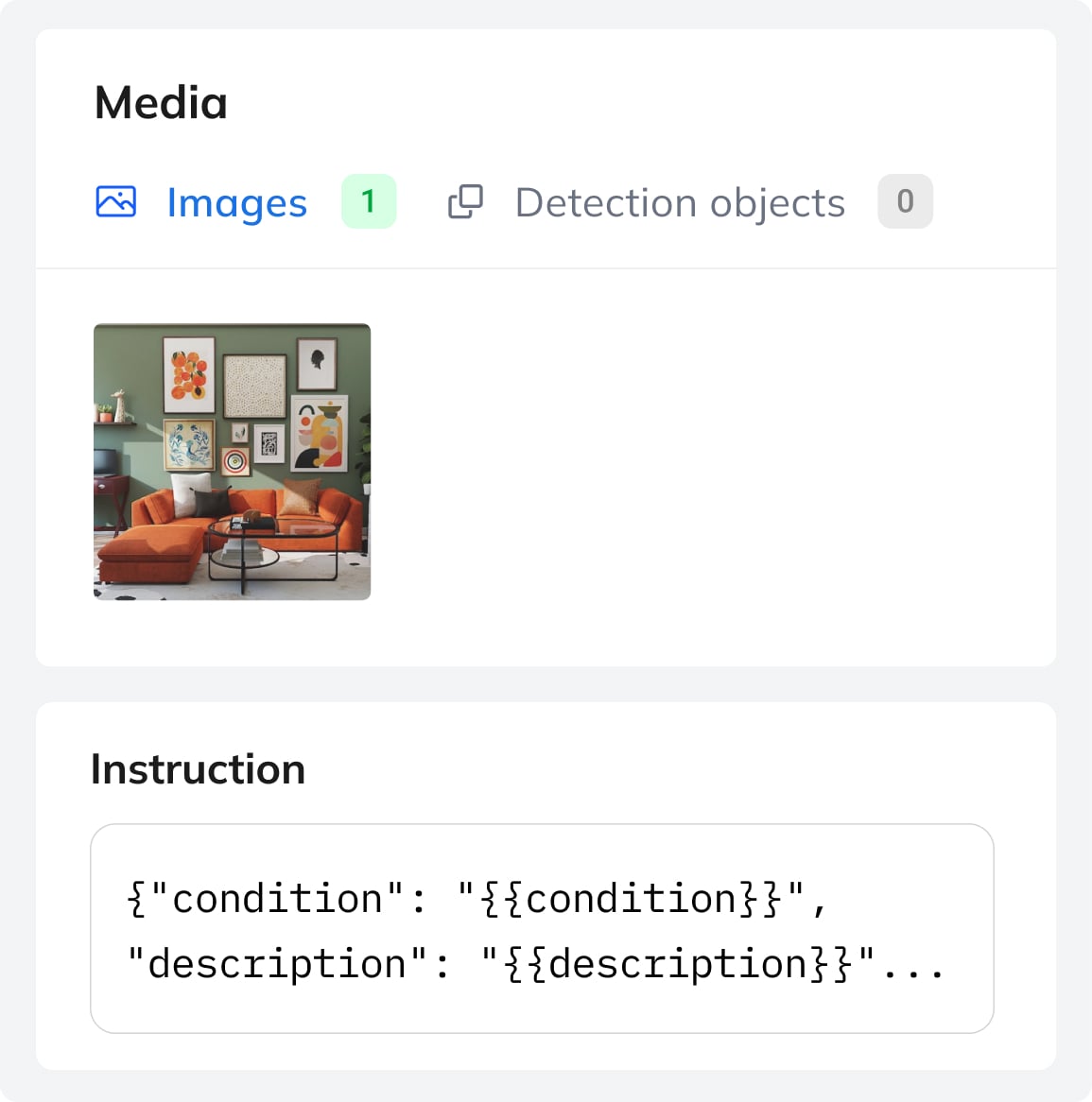
Sample
A training example with 1–10 images, each paired with structured output values from the dataset template.
Privacy First
Deploy vision-language models offline with full data control and security.
PRIVACY-FIRST ARCHITECTURE
VLMs are Ideal for Sensitive Data
Your training samples stay private and are never shared with third parties or reused to improve other systems. The platform is built for sensitive cases where data protection is critical. We support GDPR compliance.
Models can also be deployed locally to run fully within your own infrastructure, ensuring full data control and making VLMs suitable for medical, legal, and other sensitive applications.
MODEL OWNERSHIP
Model Ownership and Data Sovereignity
You fully own the models you train and can export them anytime. Deploy your VLM anywhere without restrictions, vendor lock-in, or dependency on external providers.
Built on open, portable foundations, models can run offline with fixed costs. This eliminates per-request fees and gives you full control over performance and infrastructure.
Vision Language Models Applications
Fine-tuned vision language models enable domain-specific workflows by combining image and text analysis.
Document Processing
Automate extraction of information from documents, invoices, contracts, and PDFs, with simultaneous processing of images and text.
Real Estate Cataloguing
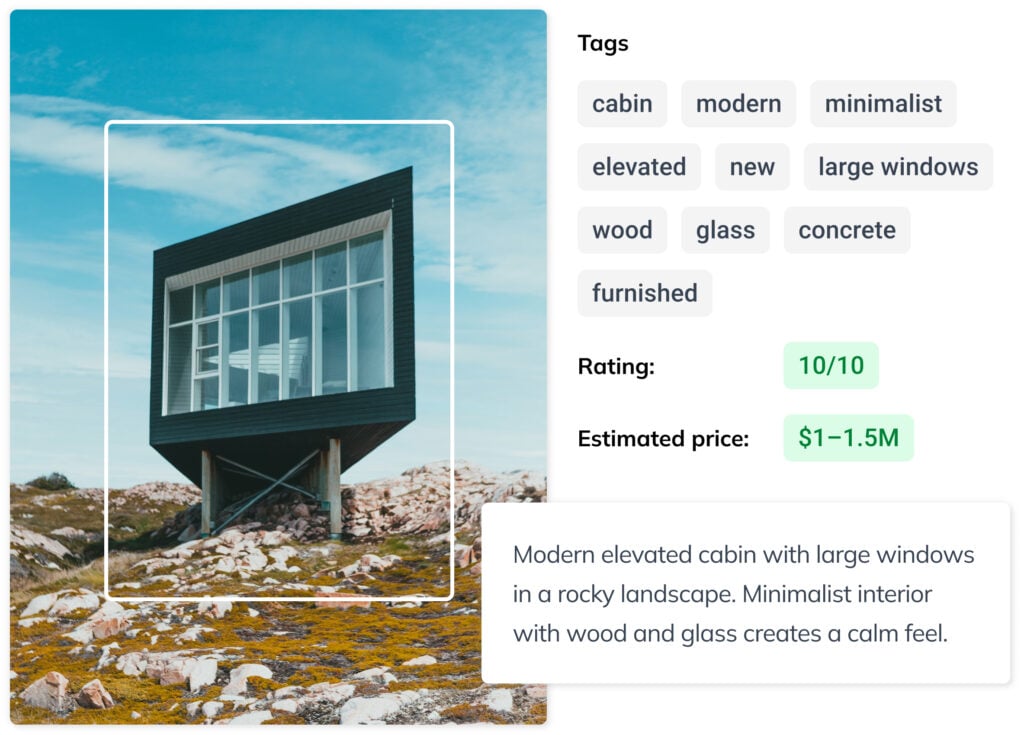
Analyze property images and floor plans to classify real estates and generate structured descriptions automatically.
Medical Data Analysis
Interpret medical images and support pre-diagnosis in secure environments where sensitive data remains fully private.
Satelite & Drone Imagery
Process aerial imagery and footage to detect objects, record changes, classify areas, and generate actionable insights.
E-Commerce & Retail
Automate product tagging, categorization, and description using image and text understanding across large catalogs.
Collectible Items
Identify and describe collectibles by extracting visual details and generate structured metadata for cataloging of vast collections.
Fine-Tune VLMs on Ximilar Platform
Train and manage vision language models via API, with full support for workflows beyond the platform UI.
https://api.ximilar.com/vlm/v2/prompt/
https://api.ximilar.com/vlm/v2/prompt/__PROMPT_ID__/
https://api.ximilar.com/vlm/v2/task/
https://api.ximilar.com/vlm/v2/task/__TASK_ID__/
https://api.ximilar.com/vlm/v2/task/__TASK_ID__/add-dataset/
https://api.ximilar.com/vlm/v2/task/__TASK_ID__/remove-dataset/
https://api.ximilar.com/vlm/v2/task/__TASK_ID__/train/https://api.ximilar.com/vlm/v2/dataset/
https://api.ximilar.com/vlm/v2/dataset/__DATASET_ID__/https://api.ximilar.com/vlm/v2/variable/
https://api.ximilar.com/vlm/v2/variable/__VARIABLE_ID__/
https://api.ximilar.com/vlm/v2/variable/?dataset=__DATASET_ID__https://api.ximilar.com/vlm/v2/sample/
https://api.ximilar.com/vlm/v2/sample/__SAMPLE_ID__/
https://api.ximilar.com/vlm/v2/sample/__SAMPLE_ID__/add-images/
https://api.ximilar.com/vlm/v2/sample/__SAMPLE_ID__/remove-images/
https://api.ximilar.com/vlm/v2/sample/__SAMPLE_ID__/add-objects/
https://api.ximilar.com/vlm/v2/sample/__SAMPLE_ID__/remove-objects/
https://api.ximilar.com/vlm/v2/sample/__SAMPLE_ID__/sample-images/
https://api.ximilar.com/vlm/v2/sample/__SAMPLE_ID__/sample-objects/
https://api.ximilar.com/vlm/v2/sample/__SAMPLE_ID__/set-test/
https://api.ximilar.com/vlm/v2/sample/__SAMPLE_ID__/set-untest/
https://api.ximilar.com/vlm/v2/sample/__SAMPLE_ID__/add-variable-value/Frequently Asked Questions
What is a vision language model (VLM) and how does it differ from a standard LLM?
Unlike traditional computer vision models — narrow artificial intelligence designed for a single task — VLMs handle many tasks in one. Traditional CV models like object detection or image captioning tools couldn’t process language; a VLM unifies image processing and language in a single architecture.
A vision language model (VLM) is a generative model that processes both images and text simultaneously — replacing multiple specialized tools with a single model. Where a standard large language model (LLM) works with text alone, a VLM combines vision and language encoders — typically a vision transformer (ViT) paired with a language decoder — enabling the model to interpret visual input and generate structured text responses from it.
In practice this means VLMs can answer questions about an image, extract structured data from documents, classify products from photos, or generate captions — all tasks simply out of reach for text-only models.
How does the Ximilar VLM platform compare to alternatives like OpenAI, OpenPipe or Ertas?
Ximilar lowers the barrier to building and owning a production-ready multimodal model — no coding, no ML expertise, no dependency on third-party APIs, and no ongoing per-call costs. You configure your task, build your data set, fine-tune your model, and run it on your own infrastructure.
Guided setup. The Wizard walks you through initial configuration — base model selection, system prompt, token limits, augmentation — in a clear way. Once set up, you focus on building good samples.
Data management. Most competing platforms treat data preparation as something you handle outside their system, typically via API only. Ximilar supports dataset building and management both through the app interface and the API. It consists of samples with prompts, result templates, and typed variables like {{category}}. Predefined variables keep inputs consistent, form-based entry simplifies annotation, and the result is clean, well-structured training data — which is what produces models that perform reliably in production.
Iterative workflow. You can refine your data, retrain, evaluate, and gradually improve your model until it performs precisely on your task. This is available both through the interface and the API.
Model ownership and offline deployment. OpenAI allows fine-tuning but model weights cannot be downloaded. Hugging Face AutoTrain supports training and exports model weights, but open-source models like those on Hugging Face focus on text and standard image classification — not vision language models that combine image and text. Replicate supports a broader range of vision models but operates on pay-per-inference pricing. Ximilar lets you export in Safetensors, GGUF, or .pt format and run via the Transformers library or llama.cpp, fully offline, on your own hardware.
Pricing. Training is billed per operation: 10,000 credits for a 450M LoRA run, up to 30,000 for a 4B model, with model conversion at 10,000 credits. Once your model is running locally, inference has no additional cost.
Why train a custom VLM instead of using generic model like GPT or Gemini?
The most compelling reason is cost. Commercial APIs like GPT or Gemini charge per token on every request — at production scale, those fees compound fast. A trained model runs on your own hardware after a one-time investment, meaning inference costs nothing per call.
Beyond cost, generic models are trained for breadth, not your business. They have no knowledge of your product taxonomy, document layouts, medical terminology, or domain-specific edge cases. Once a model is trained on your own image-text pairs, it learns those implicit rules directly from examples, consistently outperforming generic models on your specific tasks.
Where do my training images go, and who owns the trained model?
Your data stays private and is never shared with third parties, nor it is used to improve other systems. Images are stored in AWS S3 storage.
You fully own the model you train. Once training is complete, you can download the model weights and deploy them anywhere: on your own servers, on an edge device, or in an air-gapped environment. There are no per-token fees, no vendor lock-in, and no restrictions on how or where you run it. This makes the platform well-suited for GDPR-regulated industries, healthcare imaging, legal document processing, and any case where sensitive visual data cannot leave your infrastructure.
How do I deploy my trained model and can I run it offline?
The platform offers two deployment paths depending on your infrastructure requirements.
- Via REST API – Once training is complete, your model is available on a managed endpoint. Send an image and a text prompt as input and receive structured outputs instantly, with no infrastructure to manage on your side. This is the fastest path to integrating your model into an existing application.
- Offline/on-device deployment – export your model weights and run the model entirely on your own hardware — a local server, an edge device, or a machine with no internet connectivity.
Models can be exported in Safetensors, GGUF, and .pt formats and run via standard frameworks including Transformers and llama.cpp. This path offers fixed, predictable costs, full control over data handling, and the lowest possible latency for real-time applications such as drone vision or medical imaging in clinical settings.
Do I need to write any code to train and deploy on Ximilar?
No. Ximilar offers no-code training for vision language models. The entire workflow — data collection, training, and deployment — is managed through a guided interface with no Python, Docker, or ML expertise required.
You define your task using the Wizard, which walks you through selecting a base model, configuring your system prompt, setting token limits, and preparing augmentation. Training samples are added via a form-based interface where variables such as {{brand}} or {{category}} define the output structure. Unlike generic APIs, these models are designed around your specific data and task.
For teams that prefer to work programmatically, the full workflow is also available via the Ximilar API. You can upload annotated samples, trigger training runs, and manage tasks through standard REST calls — useful for automating data pipelines or integrating VLM pipelines into existing systems.
Can a training sample include multiple images, and when would I use that?
Yes, each sample can include up to 10 images. This is useful when your task requires analysing several images together to produce a single, accurate output — rather than evaluating one image in isolation.
A practical example is real estate analysis. A single property listing might have photos of the living room, kitchen, bedroom, and exterior. Instead of processing each image separately and combining results manually, you can include all of them in one sample. The model uses the full set of images as context, which leads to more accurate and complete predictions than any single image could provide on its own.
Use multiple images per sample whenever the correct output depends on information spread across more than one image.
How much training samples do I need to fine-tune a VLM?
Far less than most people expect. Using LoRA (Low-Rank Adaptation), many models can be trained with as few as 200 to 1000 labeled image-text examples and still produce reliable, domain-specific results. LoRA for VLMs updates only a small subset of model parameters, making it fast, affordable, and accessible even to teams without ML expertise.
For more complex tasks—such as document extraction from variable layouts, multi-label classification, or nuanced image captioning—larger datasets of several thousand samples ensure maximum performance. Full fine-tuning, which trains all parameters of the multimodal model, is better suited to these cases.
As a rule of thumb: start with a few hundred samples, evaluate, and scale your dataset only if benchmark results show room for improvement.
What does Ximilar’s VLM platform cost, and what am I charged for?
Ximilar uses a credit-based model rather than a subscription. You purchase a monthly plan that includes a set number of API credits, and you spend those credits only when you actually use the platform — no charges for training time, deployment, or idle time.
Credits are consumed for the following operations:
- Adding a sample — 5 credits per sample
- Training a model — 10,000 credits for a 450M model, 20,000 for 2B, 30,000 for 4B
- Model conversion (exporting weights) — 10,000 credits
Once your model is exported and running on your own hardware, inference costs you nothing — there are no per-call fees of any kind. If you need extra credits beyond your monthly plan, non-expiring credit packs are available as a top-up.
This is a different model from subscription-based platforms like Ertas, which charge a fixed monthly fee regardless of usage. With Ximilar, you pay for what you use, and the largest cost — inference at scale — moves to your own infrastructure.
What is the difference between LoRA and full fine-tuning for VLMs?
LoRA (Low-Rank Adaptation) is the most efficient approach. Adapting models requires only a small set of adapter weights to be updated — it freezes most parameters, making it faster, cheaper, and ideal for most domain-specific cases.
LoRA for VLMs preserves the general language understanding and vision capabilities of the base model while adapting its outputs to your domain. Training costs start from roughly $10 for smaller models and scale up from there.
Full fine-tuning updates all parameters on your data. It is more resource-intensive and requires more labeled examples — models may need thousands of samples for the most complex cases — but enables maximum accuracy for tasks that require deep domain knowledge.
For instance, specialized document extraction, medical imaging analysis, or applications where the base model’s general priors would interfere with domain-specific patterns. The model can also be incrementally retrained as new data becomes available, keeping it current without starting over.
What real-world tasks can fine-tuned VLMs handle?
Fine-tuned VLMs automate a wide range of production workflows across industries. Common use cases on the Ximilar platform include:
- Document processing — structured extraction of fields from invoices, contracts, purchase orders, and PDFs, using vision and text understanding to handle variable layouts without rule-based templates.
- Retail and e-commerce — automated product classification, attribute tagging, and caption generation from product images, replacing manual cataloguing at scale.
- Medical imaging — on-premise analysis of radiology scans, dermatology images, or pathology slides, where sensitive data cannot leave the clinical system.
- Real estate — classification and visual inspection of property listings, identifying features from photos to populate structured listing data automatically.
- Manufacturing and quality control — detection of sub-millimeter defects on production lines, reading damaged or partially obscured labels, and flagging anomalies in aerial or drone footage.
In all these scenarios, VLMs bridge computer vision with language reasoning, consistently outperforming both rule-based CV pipelines and generic large language model solutions.
How long does the VLM training take?
It depends on the size of your data set and the base model you chose. For a compact model like LFM2-VL with a few hundred samples, training typically completes within a few hours. Larger models fine-tuned on thousands of samples can take longer — up to a day or more in some cases.
You don’t need to monitor the process. The platform handles training in the background and notifies you when your model is ready.
Which open-source base models does the Ximilar platform support?
The platform currently supports several leading open-source VLMs built on proven foundation models, each suited to different requirements:
- Liquid AI provides compact and efficient multimodal models built on a vision transformer architecture and designed for edge deployment. They deliver strong performance with minimal compute, making it ideal for production systems where resource constraints matter and for running VLMs directly on device.
- Gemma (Google DeepMind) provides broad language support across more than 140 languages and handles a variety of tasks and modalities with balanced performance.
- Qwen-VL (Alibaba) is one of the newer models with advanced vision, strong spatial reasoning, and OCR support. Models like Qwen — including the 72B model variant — rank among the top open-source VLMs on standard benchmarks. Llama 3.2 Vision rounds out the lineup as one of the leading open models, well-suited to a variety of multimodal tasks.
New models are added to the platform regularly.
Can I build a separate evaluation dataset to test my model?
Yes. Any sample can be flagged as a test sample. The platform then uses these samples exclusively for evaluation — they are held out from training and used to measure how well the model performs on data it hasn’t seen.
This gives you a reliable picture of real-world performance before you deploy. You can manage test flags through the interface and the API.
What happens to previous model versions when I retrain?
Nothing is overwritten. Every training run is saved as a new numbered version within the task. You can see the full history — version number, training date, and accuracy — at a glance. Only one version is active at a time, but you can switch freely using the Activate button.
This makes it straightforward to compare iterations, roll back to an earlier version if a new one underperforms, or keep a stable production version active while experimenting with updated data. The Auto deploy option automatically activates the latest version as soon as training completes.
What is augmentation and should I use it?
During training, the platform can automatically generate modified variants of your images — cropped, flipped, rotated, color-shifted, and so on. This is called augmentation. The purpose is to expose the model to more variation without requiring you to collect additional data, improving its ability to generalize to real-world images.
The available options are: random crop, 90° rotation, horizontal and vertical flip, quality augmentation (adding noise or varying JPEG compression), random erase (blanking out random rectangles), color mutation (low to high), and free rotation up to a specified degree.
The general rule is to enable any augmentation that reflects variation your model will actually encounter in production. If your images can appear at any orientation, enable rotation. If lighting and camera quality vary, enable quality augmentation and color mutation. Avoid augmentations that would distort features the model needs to recognize — for example, if text orientation matters for OCR, random rotation may hurt more than it helps.
My model isn’t performing well. What should I do?
There are a few common reasons a fine-tuned model underperforms, and each has a straightforward path forward.
The task may be too complex for the current setup. Some tasks require more nuanced understanding than a smaller model can reliably deliver. In that case, switching to a larger base model is the first thing to try.
The dataset may need more or better data. Model quality is directly tied to the quality of your training samples. If they are inconsistent, too few, or don’t cover the full range of variation your model will encounter in production, accuracy will suffer. Adding more diverse, well-annotated samples is usually the most effective fix.
You can always reach out. If you’ve iterated on your data set and model size and results are still not where they need to be, the Ximilar team is available to help diagnose the issue and suggest next steps.
Can multiple people collaborate on the same VLM task?
Yes. Ximilar platform is built with team workflows in mind. The platform uses workspaces, and each workspace can be shared with multiple users who work together on the same projects — building labeled samples, annotating, and managing tasks. This makes it practical for teams where annotation and model configuration are handled by different people.
One additional benefit: images uploaded to a workspace are shared across the platform. The same image can be used as a training sample for a VLM task and simultaneously used to train an object detection model — no duplication needed. All within your workspace so you have full control over your data.
Tips & Tricks

Wake Up, Collector: Cyberpunk TCG Card Recognition Is Here
Ximilar’s card AI now recognises Cyberpunk TCG cards – name, set, and rarity from a single scan. Test it in the App, via API or the demo.

Recognize Every Palworld TCG Card in English and Japanese
Ximilar’s card AI now handles Palworld card recognition in English and Japanese, from a single scan. Test it in the App, via API or the demo.
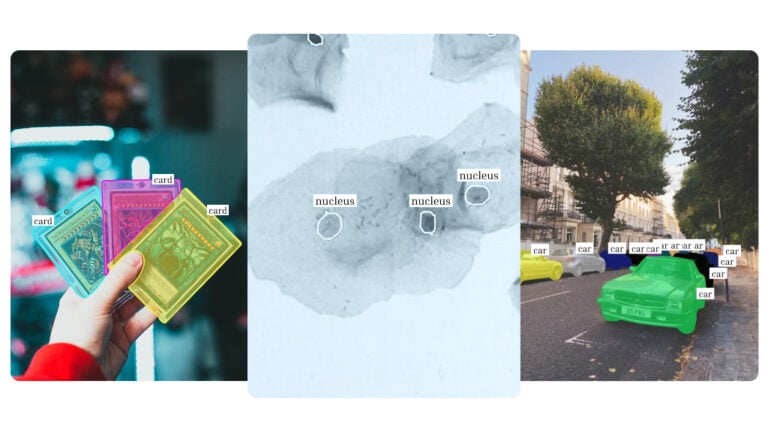
Instance Segmentation on Click: Build Your Own AI Model
Train your own instance segmentation model with Ximilar’s no-code computer vision platform – from polygon annotation to a deployed API.
Ximilar is a reliable & responsible partner in image AI. We deliver what we promise.
Contact us now- Easy setup
- •
- Expert team
- •
- Fast scaling