 Product Description
  Price Search
 The New Ximilar Interface: Overview and Key Changes
Discover the redesigned Ximilar App – a clearer, faster way to train models, manage credits, and explore visual AI solutions.

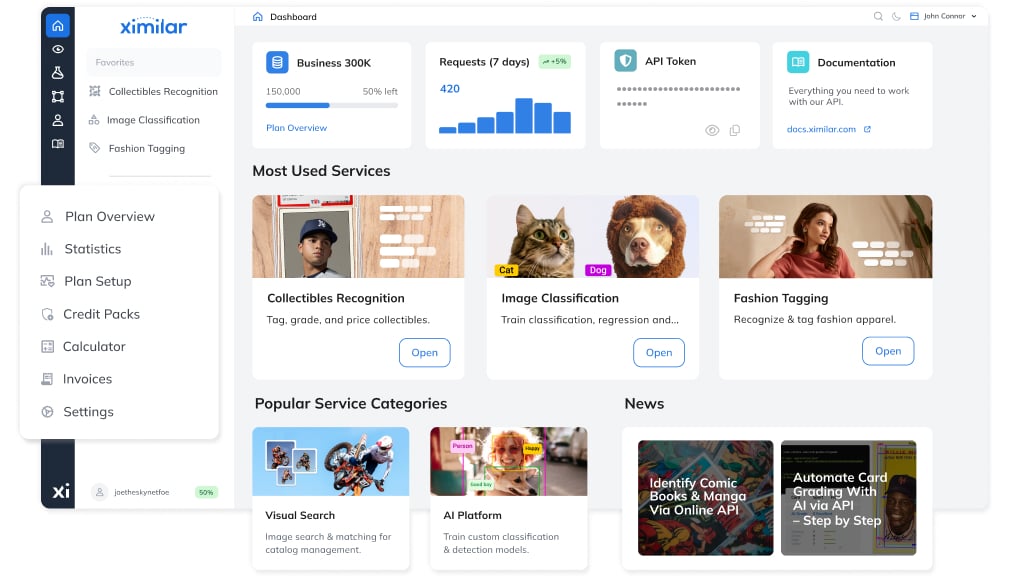
After months of work, we’re releasing the redesigned App – an interface where you can train, test, and manage all your machine learning tasks, as well as pre-trained image recognition & search solutions, in one place.
The new interface brings clearer structure, faster navigation, and an overall more user-centered experience, with easier access to everything from your models and datasets to testing forms and plan management. Let’s take a look.
What the Ximilar App Provides
The Ximilar App is an interface to an end-to-end computer vision platform, designed to make AI development easier and more accessible.
For model development and computer vision workflows, you can:
- Manage training datasets, image collections, and image annotations.
- Build, train, and refine computer vision models for tasks ranging from custom image recognition to text extraction and visual search
- Test and deploy all ready-to-use services on your own data via API
For usage monitoring and integration management, the Ximilar App also lets you:
- Access your authentication token
- Optimize your monthly credit supply and purchase extra credit packs
- Monitor requests through detailed statistics
- Review results, including explanations of what recognition models focus on
In this update, we focused on clarity and workflow, making the interface more intuitive. Navigation, discoverability, and orientation among services have been improved.
Also, the guides and a detailed API documentation are always at hand, offering step-by-step explanations for each service. The result is a cleaner, more coherent environment where everything you need is easy to access. Let’s go through the changes one by one.
Smoother Navigation
App navigation has been split into two menus for easier orientation and faster movement throughout the interface. The primary sidebar links to Dashboard, Services, Computer Vision Platform, Annotate, My Plan, and Help Center.
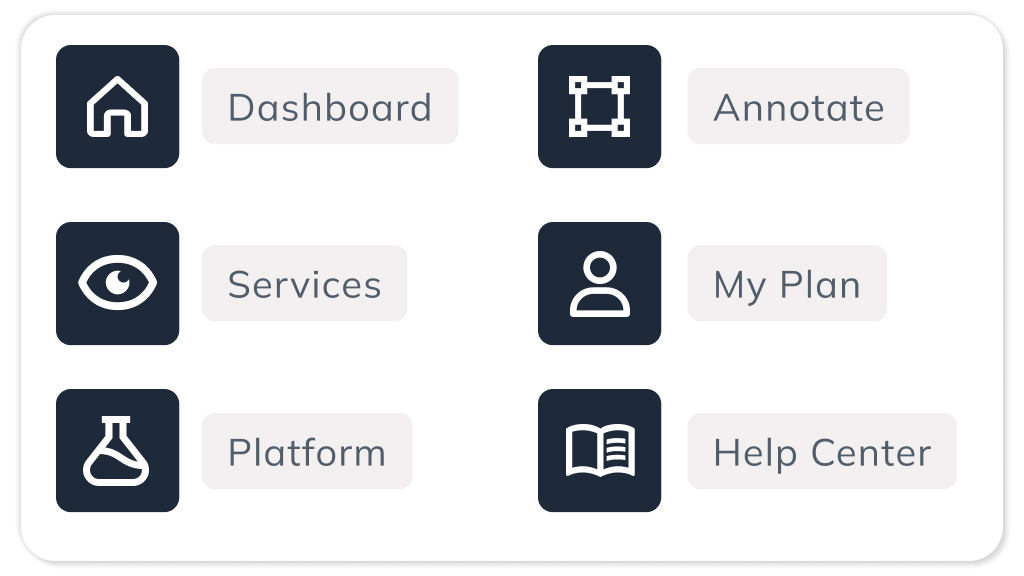
Favorite services stay pinned at the top of the menu. When you’re on the dashboard, the menu also shows items from My Plan, including Plan Overview, Statistics, Plan Setup, Credit Packs, Calculator, Invoices, and Settings.
Apart from that:
- Full-text search makes it easier to find anything in the app
- Breadcrumb navigation still lets you quickly return to previous pages
- Your workspace remains in the top right, with the dark mode toggle to the left
- Your username, remaining credits, and sign-out option are in the bottom left
- Live chat with our team is available in the bottom right
Redesigned Dashboard
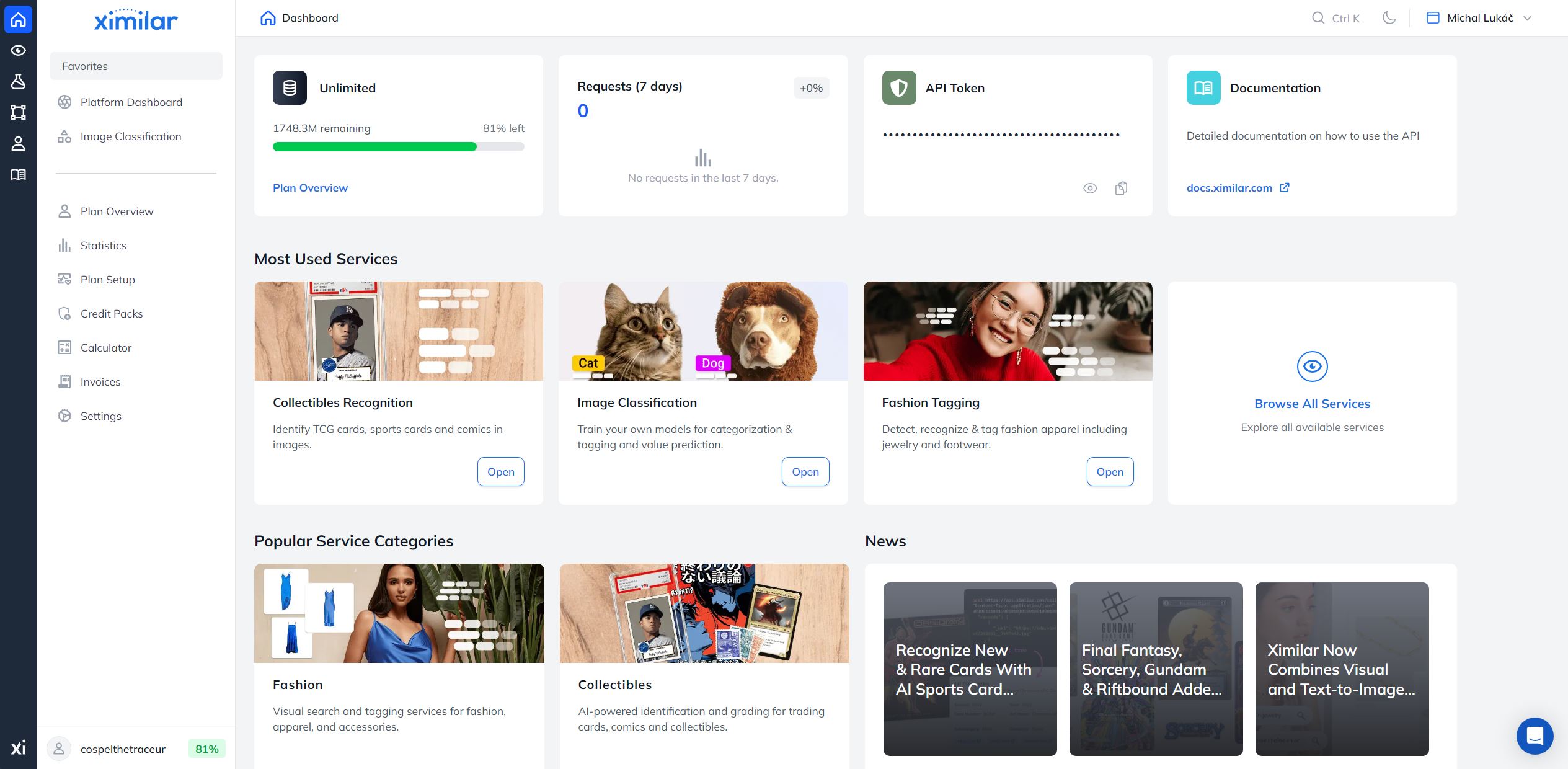
Your user dashboard now features:
- Plan overview with used credits
- Weekly traffic insights
- API token card with one-click copy
- Documentation link
- Most used services, which start with global popularity, then adapt to your usage
- Popular service categories & News
- Quick actions: Plan setup, Credit balance, Usage stats, User account, Invoices, and Ximilar status page
Explore All Services in One Place
The range of ready-to-use and customizable services available through the Ximilar API is steadily growing. That is why the platform now includes better sorting and filtering to help you find what you need quickly.
On the Services page, your company’s custom solutions always appear at the top. All other services follow, grouped into popular categories like Fashion or Collectibles.
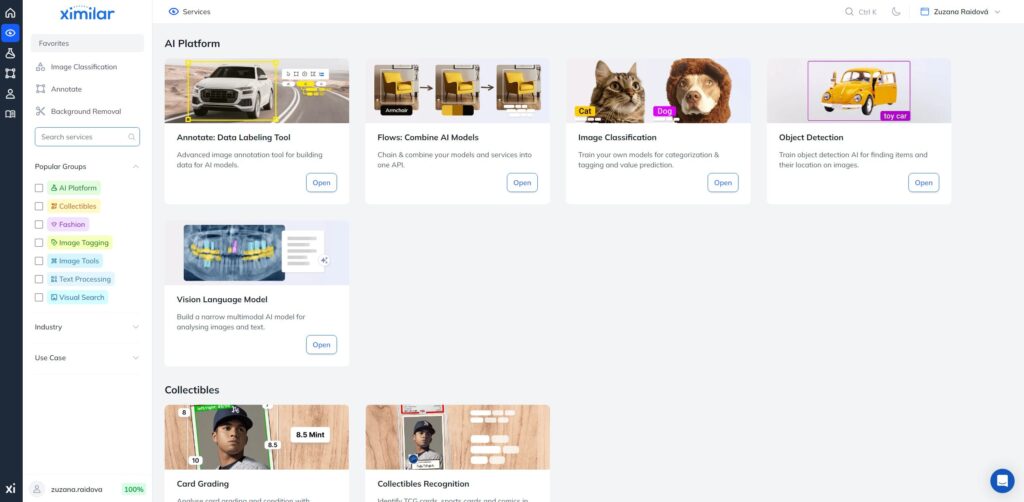
You can further narrow the list using the sidebar filters:
- Popular Groups (e.g., collectibles, text processing)
- Industries (e.g., stock photos, e-commerce, fashion)
- Use Cases (e.g., cataloging, product search)
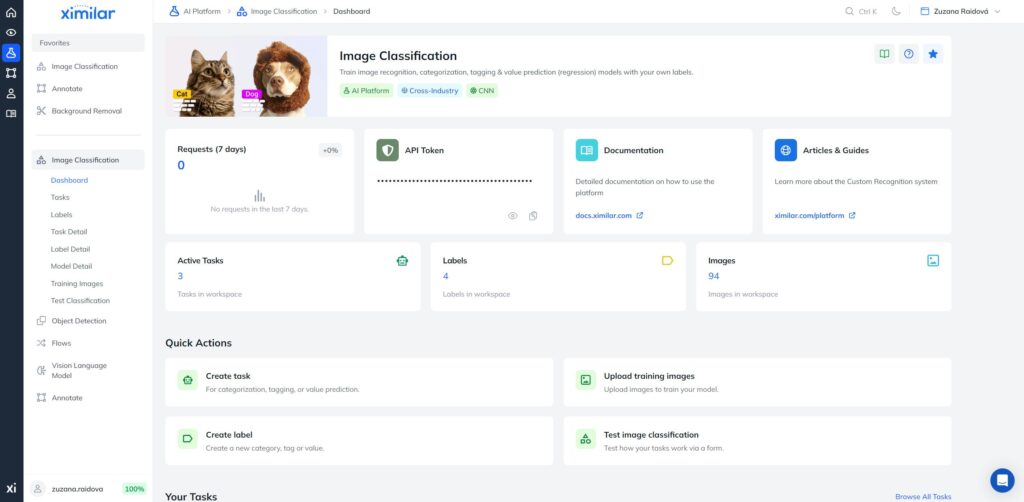
Service Dashboards
e. g., app.ximilar.com/platform/classification/dashboard →
Each individual service features its own dashboard displaying:
- Recent requests for the service, with links to detailed statistics
- Your API token
- Documentation link
- Service-specific overview cards & quick actions
- Relevant news & guides
- Platform services also include a listing of your tasks and labels
Detailed Testing Forms
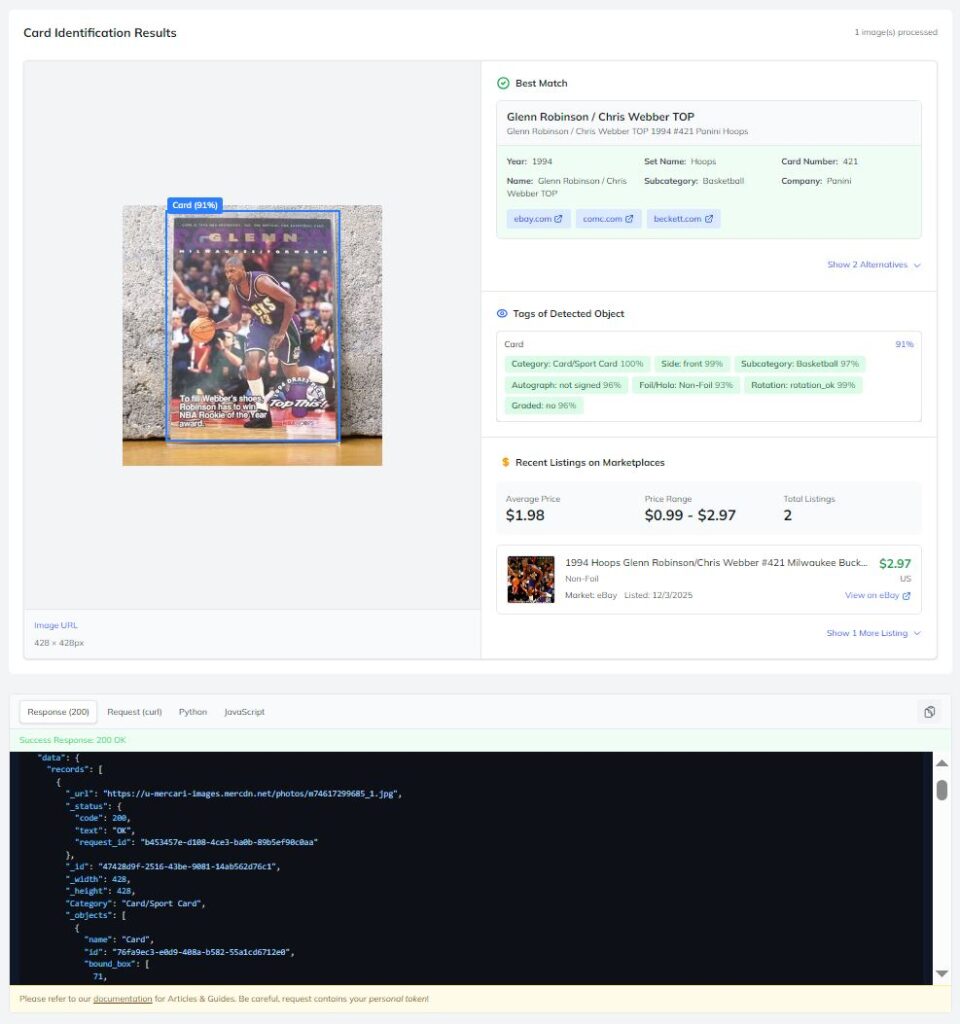
e. g., app.ximilar.com/collectibles/recognition/sports-identification →
All AI-powered solutions for image recognition and visual search can be tested directly in the app. While some services – such as fashion search or trading card game recognition – also offer public demos, these are often limited in scope.
In the app, each service provides its own test form that presents results in a clear, structured way and includes the exact API request and response. This makes it easier to evaluate how the AI tool performs on your data and to understand how to integrate it into your own systems.
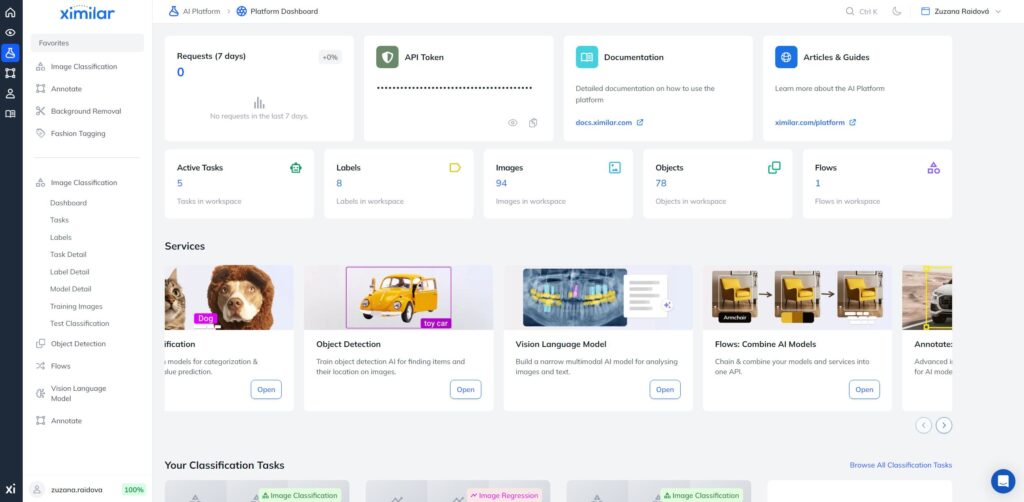
Platform Dashboard
Our computer vision platform helps you automate image processing workflows and find visually similar content across large image collections using models fine-tuned for image classification, object detection, and image regression.
You can build custom AI without coding, train it on your own data, and deploy it via REST API for use in production systems.
The Platform Dashboard can be accessed both from the primary menu and the Services page. It includes:
- Overview cards for recent requests, your token, documentation, and guides
- Platform cards for active tasks, labels, images, objects, and flows
- Listing of your image classification and object detection tasks
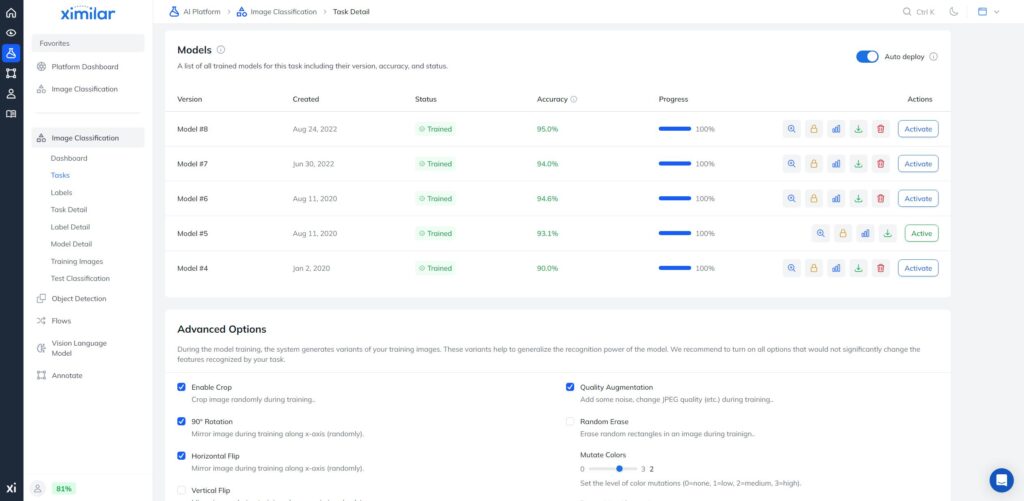
Smoother Model Training
We’ve upgraded the entire model training workflow for image classification, object detection, and regression. Expect smoother data uploads, faster feedback, and a more visually polished, responsive interface throughout.
Use Annotate Directly in Ximilar App
app.ximilar.com/annotate/dashboard →
Annotate is now fully integrated into the App, so you can manage your datasets, label data, and move straight into machine learning model training and evaluation.
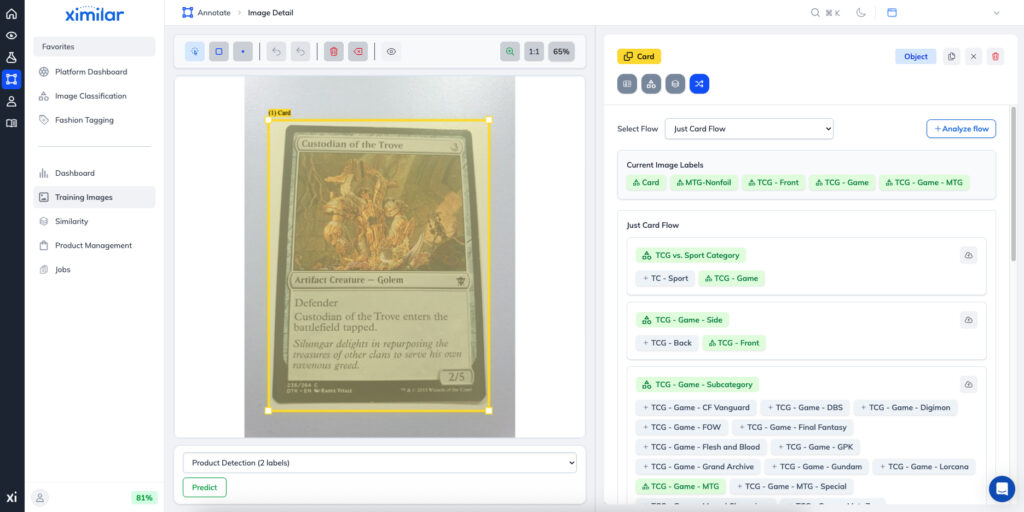
It is an advanced image annotation tool designed for teams working on computer vision projects. It supports complex taxonomies, precise labeling (including bounding boxes and polygons), AI-assisted suggestions, and structured workflows with jobs, verification, and progress tracking, helping teams build high-quality training datasets efficiently.
Easier Plan Management
User Settings and Plan Setup are now combined under My Plan, accessible via the primary menu. Under My Plan in the primary menu, you can access Plan Overview, Statistics, Plan Setup, Credit Packs, Credit Supply Calculator, Invoices, and Settings.

Some interface and billing details – such as currency, number formatting, and system-specific behavior – are pre-set based on your operating system and location, but can be adjusted in Settings.
The last item in the primary menu is the Help Center. It brings together links to key resources, including API documentation, GitHub libraries, the status page, and interactive demos. You can also subscribe to the newsletter or contact our team directly, including scheduling a video consultation via Calendly.
Your Feedback Matters
We’re excited for you to explore the new interface. So log in, try it out, and share your feedback. Your opinion matters most, so tell us what works, what doesn’t, and what you want to see next.
Your insights help us continue improving and shaping the platform. We remain committed to building the smoothest no-code visual AI experience possible.

Related Articles
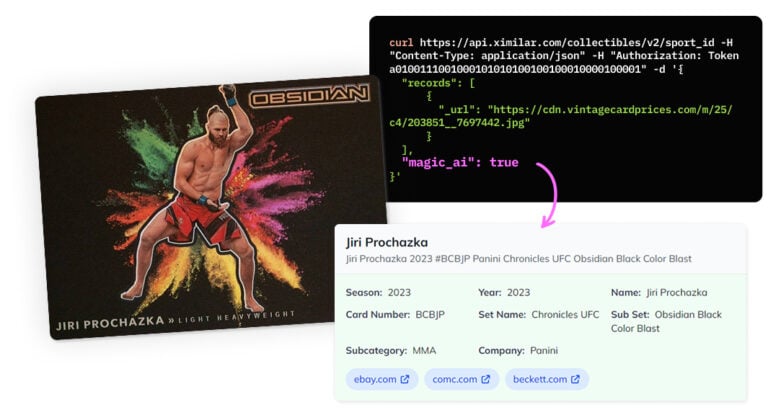
Recognize New & Rare Cards With AI Sports Card Identification
With millions of cards and variations, even the best databases miss some. We refined our sports cards recognition to identify cards even when no match exists.

Final Fantasy, Sorcery, Gundam & Riftbound Added to Our Recognition System
Ximilar’s trading card game recognition system now supports Final Fantasy, Sorcery: Contested Realm, Gundam, and Riftbound. Let’s see it in action!

Ximilar Now Combines Visual and Text-to-Image Search
E-commerce retailers using our search engine now have access to multilingual text search as well.